
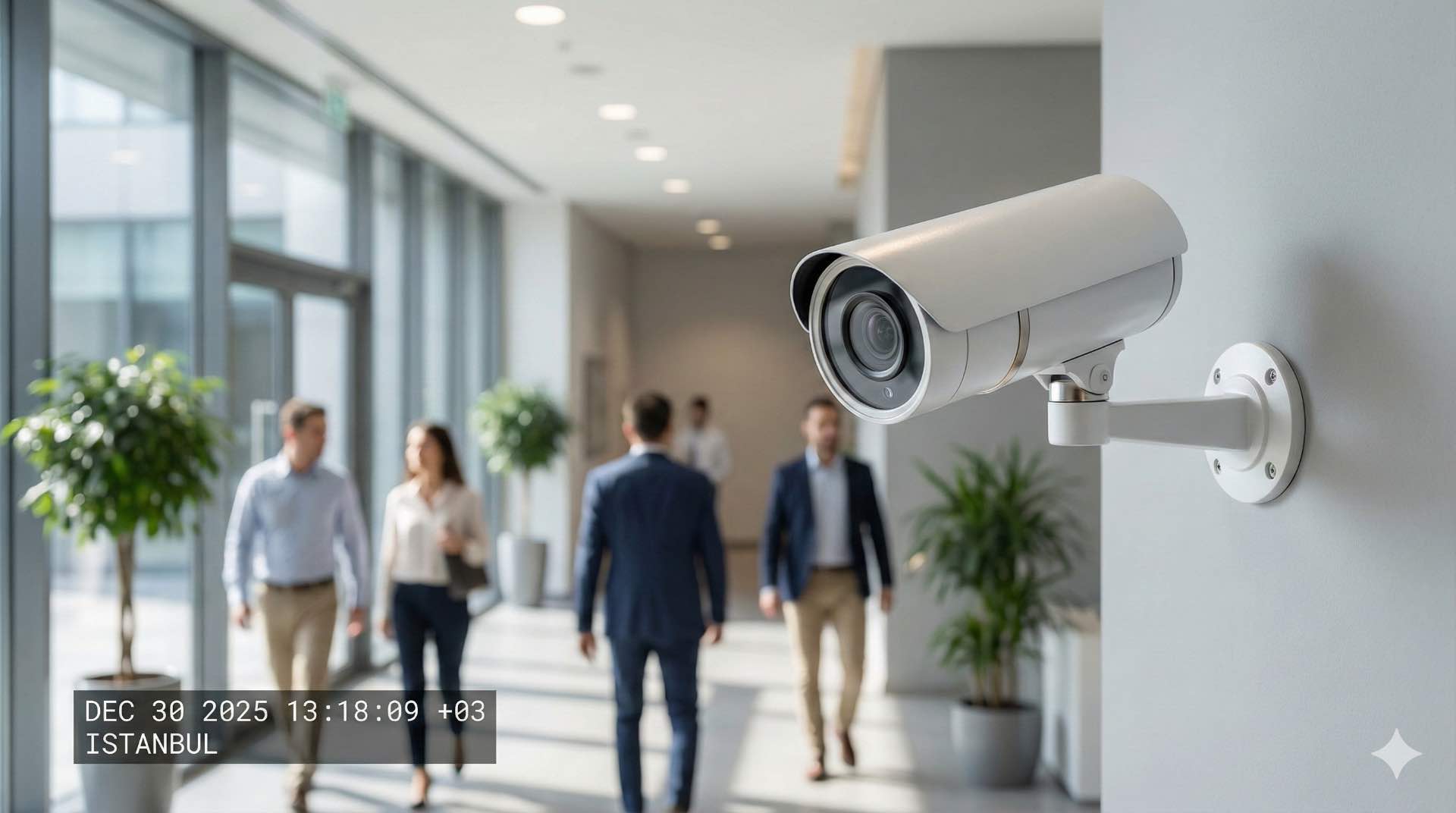
CCTV is a surveillance system using camera video to provide security monitoring and recording across buildings, campuses and public spaces.
Designed correctly, a CCTV system combines camera hardware, video recording and security monitoring to create complete visibility across facilities and a coordinated layer of protection. Organizations deploy surveillance systems to deter crime, investigate incidents and maintain safety in retail, transport, healthcare and industrial environments, using clear procedures and trained staff to act on what they see. Modern surveillance has evolved from analog systems to IP-based architectures that support remote access, intelligent analytics and integration with broader security platforms, enabling more flexible, data-driven control of risk.
What is CCTV? Overview of surveillance camera systems
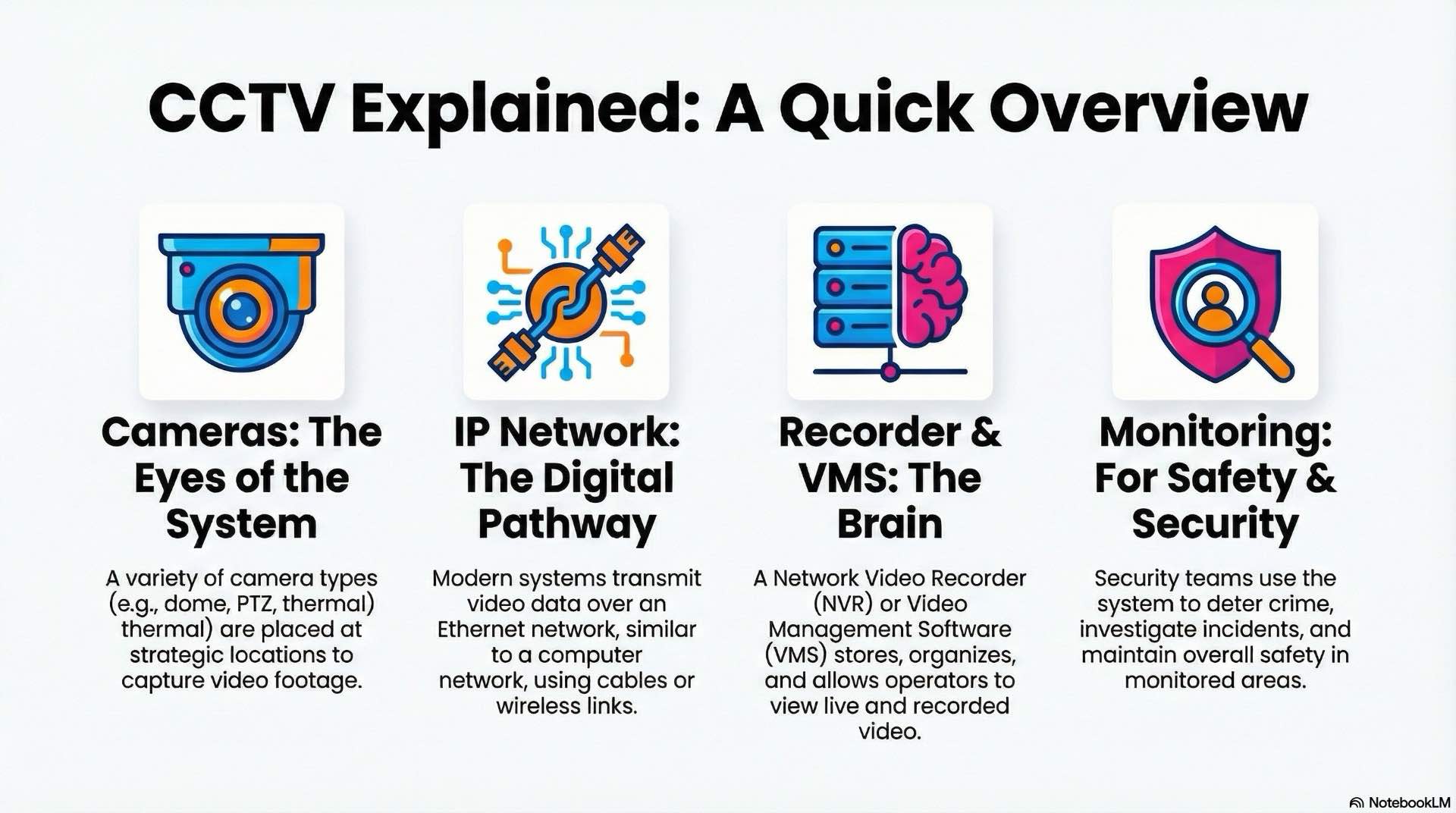
CCTV stands for closed-circuit television. The video signal travels over a closed network accessible only to authorized users. Modern installations use IP cameras that encode video into digital streams and transmit over Ethernet networks. Older analog systems used coaxial cabling, but most new deployments adopt IP architectures.
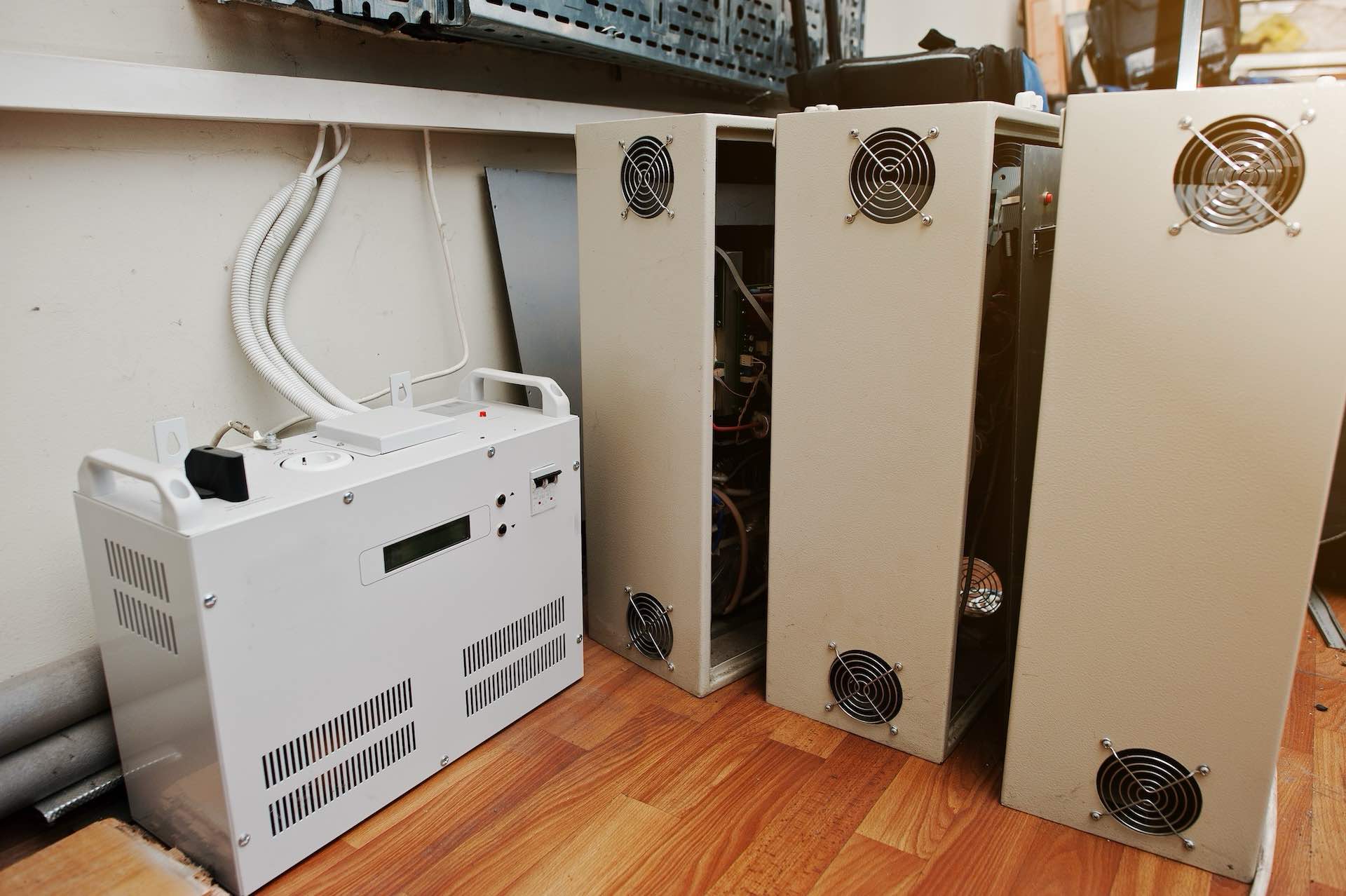
A typical system includes cameras at strategic locations, plus network switches and cabling to transport data. Recording servers store footage, and video management software lets operators view live feeds and search archives. Security teams use CCTV for live monitoring, forensic investigations and automated detection through analytics. Integration with access control and intrusion systems creates unified platforms where alarms trigger automatic recording.
Camera types and image quality fundamentals
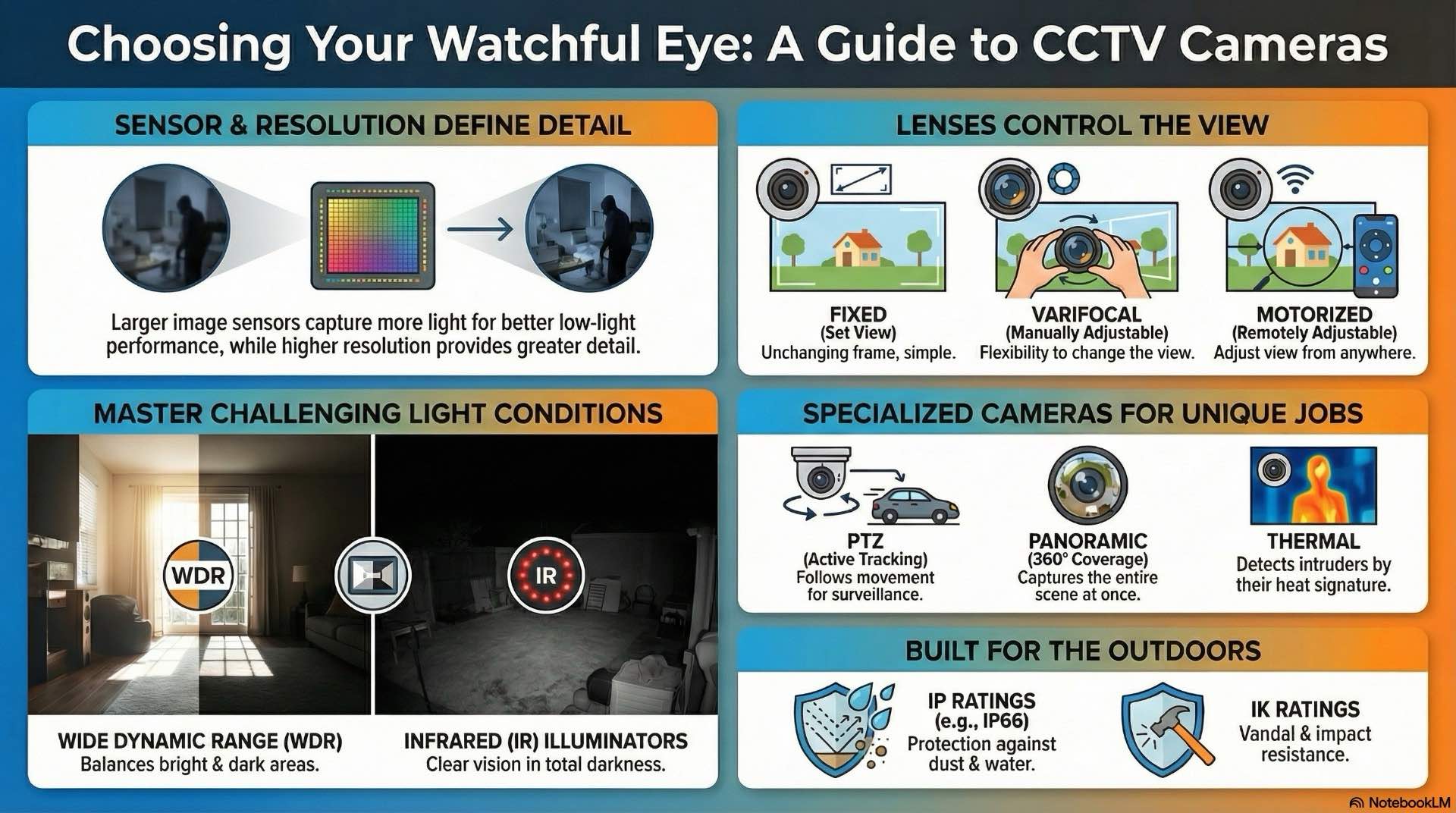
Camera selection directly affects image clarity and coverage. Understanding sensor technology, lens options and form factors helps match hardware to surveillance needs.
How image sensors and video processing affect video surveillance quality
Image sensors convert light into electrical signals. Most cameras use CMOS sensors due to lower power consumption and integrated processing. Sensor size influences light sensitivity—larger sensors capture more light, improving low-light performance. Common sizes include 1/3-inch and 1/2.8-inch formats.
Resolution determines detail level. A 2-megapixel camera captures 1920×1080 pixels at Full HD resolution. Higher resolutions like 4K provide greater detail but increase bandwidth and storage. Video processing chips handle exposure control, white balance and image sharpening. Advanced processors support wide dynamic range and noise reduction.
Choosing between fixed, varifocal and motorized lenses
Fixed lenses have set focal lengths. They work well for areas with predictable coverage needs. A 3.6mm lens provides wide views for lobbies or parking areas. Varifocal lenses allow manual adjustment during installation, letting installers fine-tune field of view. Motorized lenses enable remote adjustment through the video management system when surveillance needs change.
When to use PTZ, multisensor and panoramic cameras
Pan-tilt-zoom cameras offer mechanical movement and optical zoom. Operators control PTZ devices to follow subjects or inspect distant details. These suit control rooms with active monitoring staff. However, PTZ cameras only view one location at a time, creating blind spots.
Multisensor cameras integrate multiple sensors in one housing for 180-degree or 360-degree coverage without moving parts. Panoramic cameras use fisheye lenses to capture entire rooms. Software dewarps the distorted image into usable views.
Using thermal cameras and radar fusion for perimeter detection
Thermal cameras detect infrared radiation based on temperature differences. They work in complete darkness and through fog or smoke. Perimeter security uses thermal imaging to detect intruders crossing fences. Combining thermal with radar improves accuracy—radar provides range and velocity data while thermal confirms person or vehicle presence. Sensor fusion reduces false alarms from animals or weather.
Low-light, IR illumination and night surveillance basics
Low-light performance depends on sensor sensitivity and lens aperture. Cameras rated at 0.01 lux capture usable images in minimal light. Many include built-in infrared illuminators that emit invisible light. IR LEDs illuminate scenes for camera sensors, enabling surveillance in darkness with typical ranges of 30 to 100 meters.
Some use white light LEDs for color images at night. These act as visible deterrents and support analytics requiring color information, though they may not suit all locations.
WDR, HDR and noise reduction for high-contrast scenes
Wide dynamic range technology captures detail in bright and dark areas simultaneously. Entrance doors create high-contrast where sunlight washes out faces. WDR cameras take multiple exposures and combine them into balanced frames. Image noise appears as graininess in low-light footage. Noise reduction algorithms smooth artifacts while preserving detail.
Weatherproof camera housings, mounts and environmental protection
Outdoor cameras require IP-rated enclosures against dust and moisture. IP66 ratings provide complete dust protection and resistance to water jets. IK10 housings withstand 20 joules of impact. Vandal-resistant domes use polycarbonate covers. Housing materials must tolerate temperature extremes in desert or arctic climates.
CCTV video transmission and IP networking basics

Reliable video transmission depends on robust network infrastructure. IP-based systems use Ethernet technology with specific requirements for bandwidth, latency and power delivery.
PoE standards, power budgeting and cabling for networks
Power over Ethernet delivers data and electrical power over single cables. IEEE 802.3af provides 15.4 watts per port. The 802.3at standard (PoE+) increases power to 30 watts for cameras with heaters or IR illuminators. The 802.3bt standard delivers up to 90 watts for PTZ or multisensor devices.
Switches must provide sufficient power budget for all connected cameras. Cat5e or Cat6 cabling supports PoE over 100 meters. Longer runs require extenders or fiber converters.
Designing network switches, VLANs and segmentation for CCTV
Dedicated switches prevent video traffic from interfering with other systems. VLAN segmentation isolates camera traffic from corporate networks. Common designs place cameras on surveillance VLANs with restricted access to recording servers. Managed switches enable monitoring of link status and power consumption. Redundant uplinks provide failover if primary connections fail.
Bandwidth, QoS and bitrate planning for video streams
Each camera generates streams consuming network bandwidth. Bitrate depends on resolution, frame rate and compression. A 1080p camera at 30 fps typically uses 2 to 6 Mbps. A 4K camera may require 8 to 15 Mbps. Multiply average bitrate by camera count to estimate total bandwidth.
Quality of service policies prioritize video traffic during congestion. Bitrate control limits maximum data rates. Constant bitrate maintains fixed rates for capacity planning. Variable bitrate adjusts based on scene complexity.
Using fiber links and media converters for long CCTV runs
Copper Ethernet reaches 100 meters. Longer distances require fiber optic connections. Single-mode fiber supports runs exceeding 10 kilometers for campus environments. Media converters translate between copper and fiber interfaces. Fiber eliminates ground loop issues when connecting buildings with different electrical grounds.
Wireless CCTV video transmission options and limitations
Wireless bridges transmit video over radio links for locations where cabling is impractical. Point-to-point wireless works for gates or remote buildings. Licensed microwave provides reliable throughput. Unlicensed 5 GHz links offer lower cost but may experience interference. Wireless has limited bandwidth and may struggle with high-resolution cameras.
Managing latency, jitter and packet loss in CCTV networks
Latency measures packet travel time from camera to recorder. Low latency is critical for live monitoring and PTZ control. Jitter refers to variations in packet arrival times causing choppy playback. Packet loss from congestion degrades image quality. Network monitoring tracks these metrics and alerts administrators to degraded performance.
Network monitoring tools for troubleshooting CCTV systems
SNMP monitoring collects statistics from switches and routers. Graphs of bandwidth utilization identify failing links. Packet capture tools record traffic for analysis. VMS platforms include diagnostics displaying connection status, bitrate and frame rate. Proactive monitoring prevents outages.
CCTV video management systems (VMS) explained
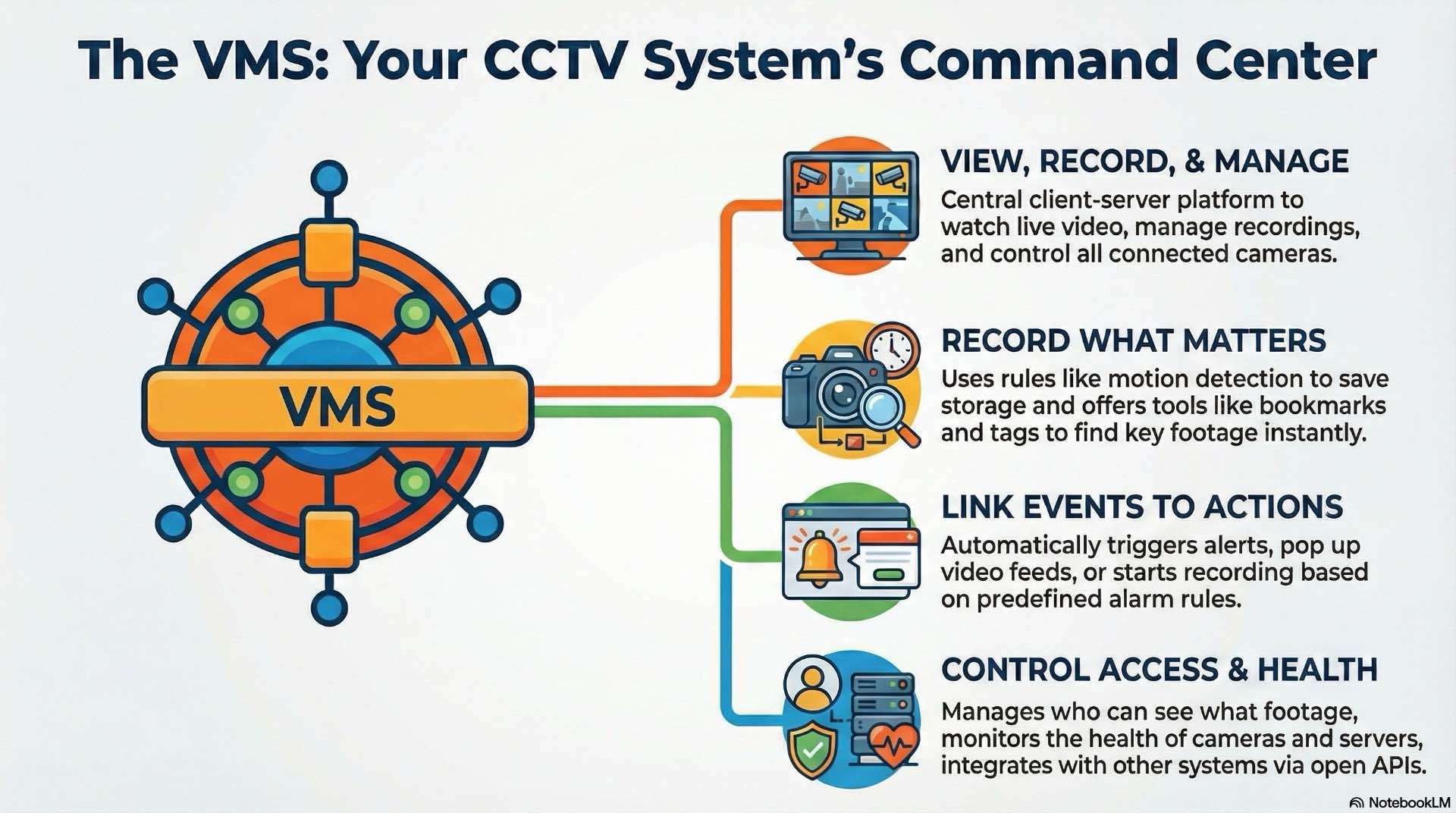
Video management systems serve as central platforms for viewing, recording and managing camera feeds. VMS software provides tools for monitoring live video and investigating footage.
VMS client–server architecture and core CCTV functions
A typical VMS uses a client-server architecture. Recording servers connect to cameras and handle encoding, streaming and storage. Client workstations run operator interfaces. Separating functions allows multiple operators simultaneous access. Core functions include live viewing, recording management, event handling and user access control. Operators arrange views in customizable layouts.
Configuring recording engines and retention policies in VMS
Recording engines manage video storage. Continuous recording captures all footage. Motion-based recording conserves storage by recording only during detected movement. Event-based recording starts when alarms trigger. Retention policies define how long footage remains before automatic deletion. Regulatory requirements may mandate specific periods—financial institutions often keep 90 days, retail may retain 30 days.
Using bookmarking, tagging and metadata in CCTV investigations
Operators bookmark important footage for future searches. Bookmarks include notes, timestamps and camera references. Tags categorize incidents by type or location. Metadata from analytics adds searchable attributes. Search functions filter by date, time, camera or analytics event, dramatically reducing investigation time.
Alarm rules, events and automated workflows in VMS
Alarm rules link camera events to automated responses. Motion detection can trigger recording, pop up live views or send notifications. Complex rules combine multiple conditions. Event logs track system activity. Automated workflows guide operators through response procedures, displaying instructions for verification and escalation.
User roles, access rights and operator permissions in CCTV
User management controls viewing, recording and configuration access. Administrator accounts configure cameras and storage. Operator accounts view video and search recordings. Role-based access control assigns permissions by job function. Audit trails log every user action for compliance with privacy regulations.
Health monitoring and diagnostics in VMS platforms
Health monitoring tracks camera availability, connectivity and storage status. Dashboard indicators show which cameras are online or experiencing issues. Automatic notifications alert when cameras go offline or storage runs low. Diagnostic tools test connections and verify bitrate settings.
Designing redundancy, failover and high availability for CCTV
Critical environments require redundant recording servers. Primary servers handle normal operation while secondary servers remain on standby. If primary fails, secondary takes over automatically. Load balancing distributes cameras across multiple servers. Failover storage ensures footage remains accessible during device failures. RAID arrays protect against disk failures.
Using open APIs, SDKs and integrations with third-party systems
Open APIs allow custom applications to access VMS functions. Developers use software development kits to integrate video into access control or building management platforms. RESTful APIs provide endpoints for retrieving camera lists or triggering recordings. ONVIF profiles standardize communication between devices from different manufacturers, reducing vendor lock-in.
CCTV storage and video retention planning
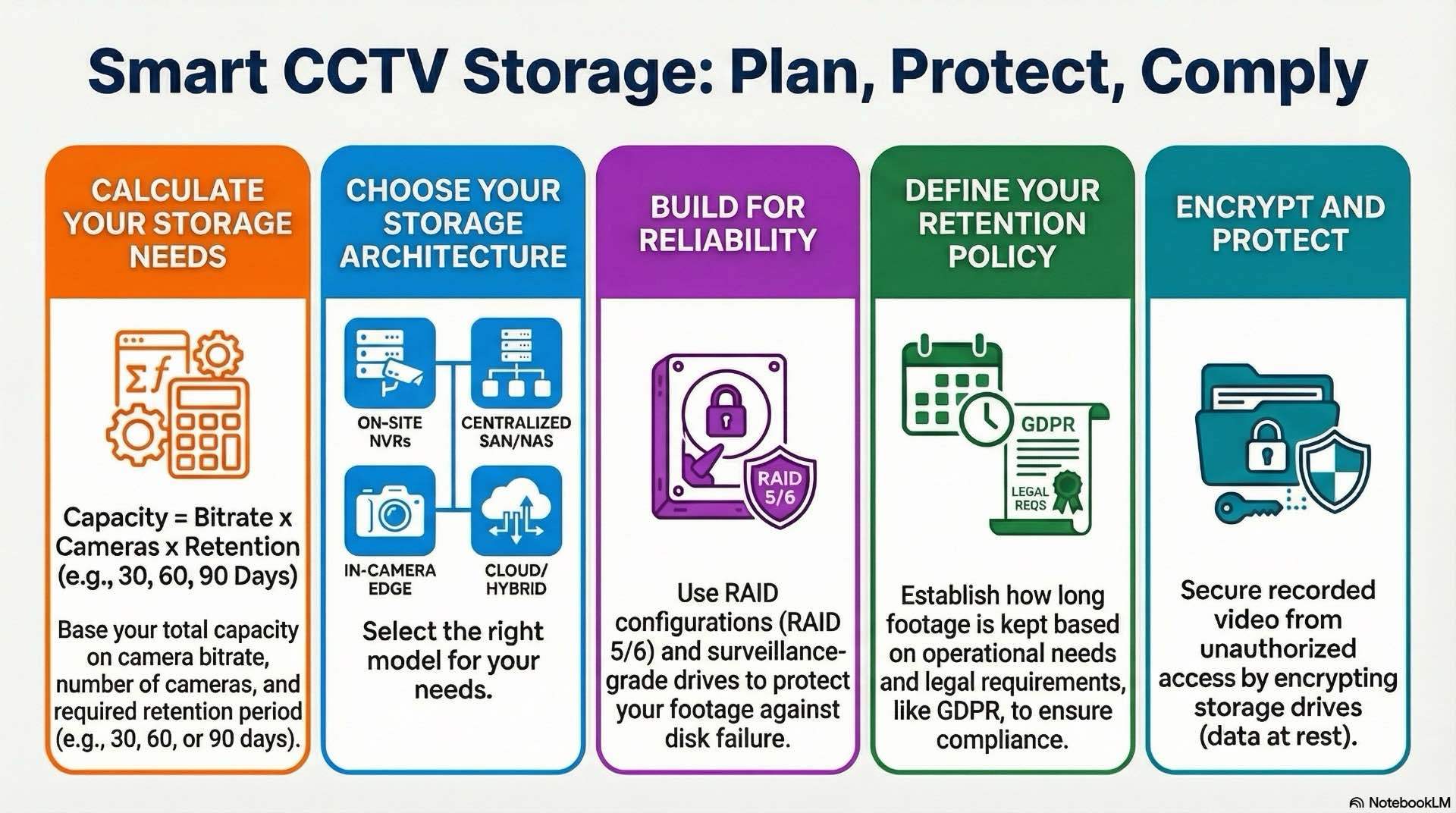
Video storage systems balance capacity, performance and cost. Storage architecture affects scalability, reliability and operational expenses.
NVR vs DVR architectures in modern CCTV systems
Digital video recorders work with analog cameras, digitizing incoming signals. Network video recorders connect to IP cameras and record pre-encoded streams. Most new installations use NVRs or hybrid systems supporting both types. NVRs scale more easily—adding cameras requires only network capacity and storage expansion.
Using SAN and NAS storage for large CCTV archives
Storage area networks provide high-performance block-level storage via fiber channel or iSCSI protocols. SANs support multiple servers accessing shared pools. Network-attached storage connects via Ethernet. NAS offers simpler deployment for small to medium installations. Both support video-optimized file systems.
RAID levels, disk health and reliability for video storage
RAID distributes data across disks to improve performance and protect against failures. RAID 5 uses parity to rebuild if one disk fails. RAID 6 tolerates two failures. Surveillance-grade drives are optimized for continuous write operations. Monitoring SMART attributes predicts failures before they occur.
Edge storage on SD cards inside cameras
Many IP cameras include SD card slots for local recording. Edge storage provides backup if network connectivity fails. Cameras continue recording locally and sync when connectivity restores. Typical cards range from 64 GB to 512 GB. Managing edge storage across hundreds of cameras increases complexity.
Cloud and hybrid storage models for CCTV video
Cloud storage uploads video to remote data centers. Cameras stream directly to cloud platforms. Cloud eliminates on-site hardware maintenance and provides off-site backup. Hybrid models combine local and cloud—high-resolution footage stays on-site while selected cameras archive to cloud for long-term retention.
Bitrate control and storage sizing for retention
Storage calculations start with per-camera bitrate and retention period. A camera at 4 Mbps consumes 1.8 GB per hour or 43 GB daily. Multiply by retention period for total capacity. H.264 remains widely deployed. H.265 achieves similar quality at half the bitrate.
Long-term archiving and compliance-driven video retention
Some organizations retain footage for years. Legal cases may require historical recordings. Archival storage uses slower, lower-cost media like tape. Compliance requirements dictate retention periods, access controls and data protection. Clear documentation demonstrates compliance during audits.
Storage encryption and data protection for footage
Encryption protects video from unauthorized access. Cameras encrypt streams before transmission. Storage systems encrypt data at rest. Access controls restrict viewing, export and deletion. Digital signatures verify recordings haven’t been tampered with, maintaining chain of custody for legal proceedings.
CCTV Video analytics and AI use cases
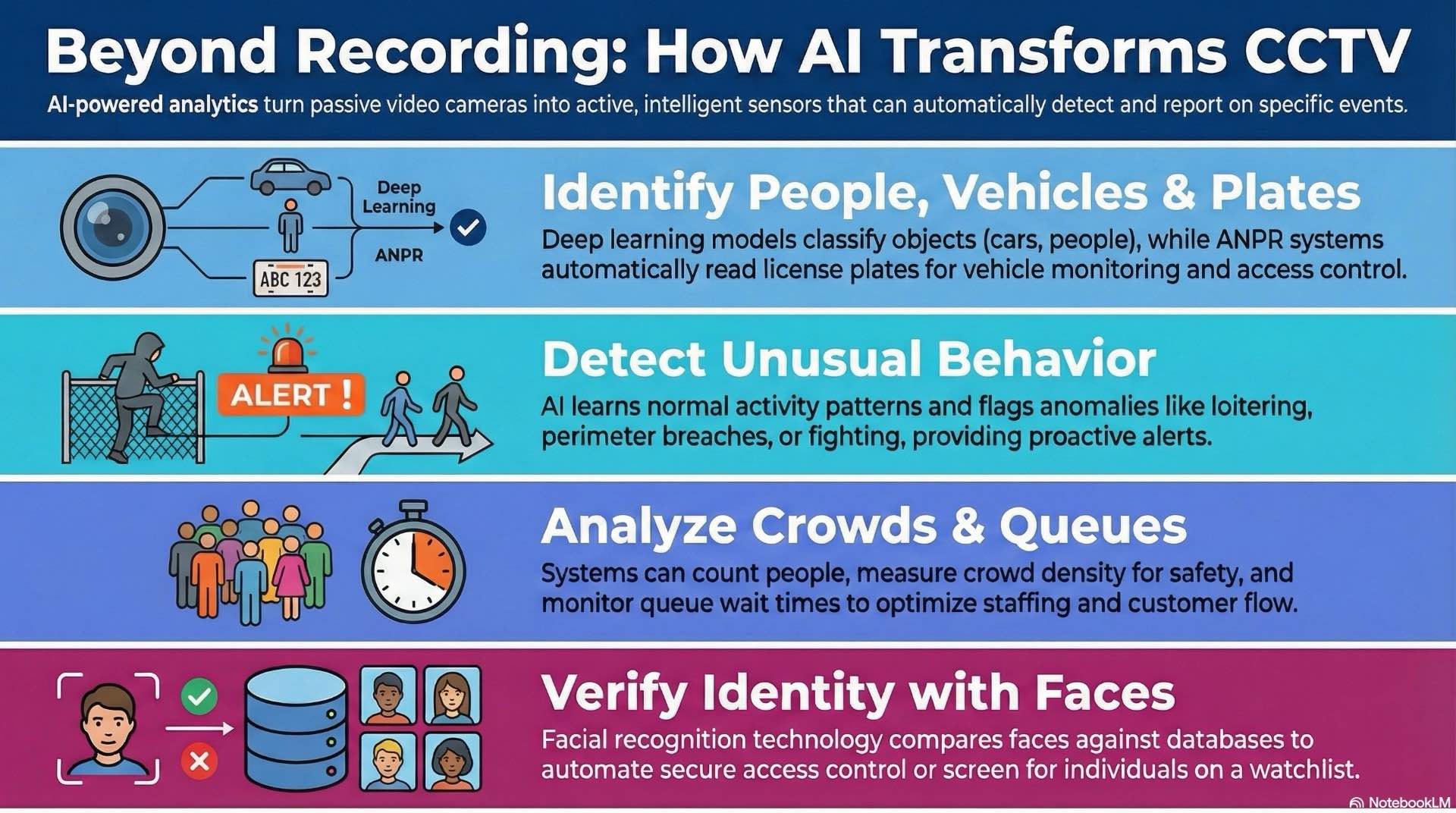
Analytics transform passive recording into active detection. Automated analysis identifies events, tracks objects and generates actionable intelligence.
Motion detection, object tracking and basic rules
Motion detection compares frames and triggers alerts when pixels change. Advanced algorithms filter irrelevant motion from weather or lighting. Object tracking follows subjects across frames, maintaining unique identifiers. Basic rules trigger alerts when objects cross virtual lines or enter restricted zones.
Facial recognition and face matching
Facial recognition algorithms detect faces and compare against databases. Recognition accuracy depends on image quality, lighting and camera angle. High-resolution cameras at eye level achieve best results. Applications include access control integration and watchlist screening. Privacy concerns and regulations restrict deployment in some jurisdictions.
License plate recognition (ANPR/LPR) for vehicle monitoring
Automatic number plate recognition captures license plates and extracts characters using optical character recognition. Systems monitor vehicle entry at gates or parking facilities. Accuracy requires proper positioning, lighting and angle. Integration with access control automates gate opening for authorized vehicles.
Perimeter protection, intrusion and loitering detection analytics
Perimeter analytics monitor fence lines and boundaries. Algorithms detect when people cross virtual tripwires or enter defined areas. Combining video with radar or thermal sensors improves accuracy. Loitering detection identifies people remaining in areas longer than thresholds, suitable for ATM security or loss prevention.
People counting, crowd density and queue management
People counting tracks foot traffic through entrances. Retailers use data to measure conversion rates and optimize staffing. Overhead cameras achieve highest accuracy. Crowd density analytics measure occupancy for safety applications. Queue management monitors wait times and alerts staff when lines grow long.
Behavior and anomaly detection models
Behavior analysis identifies unusual patterns like running or fighting. Algorithms learn normal behavior and flag deviations. Anomaly detection suits environments where defining specific rules is impractical. False positive rates challenge behavior analytics. Continuous tuning improves performance.
Vehicle and person classification with deep learning
Deep learning models classify objects as cars, trucks or people. Classification enables filtering and search. Modern analytics use convolutional neural networks trained on millions of images. These achieve high accuracy but require significant processing power. Edge devices with GPUs perform analytics locally.
Training, tuning and deploying AI models for video analytics
Custom analytics require training on site-specific footage. Training datasets must represent varied conditions. Transfer learning adapts pre-trained models to new environments. Model tuning adjusts detection thresholds and sensitivity. Deploying models involves distributing software to cameras or analytics servers.
Integrating CCTV with other security and building systems
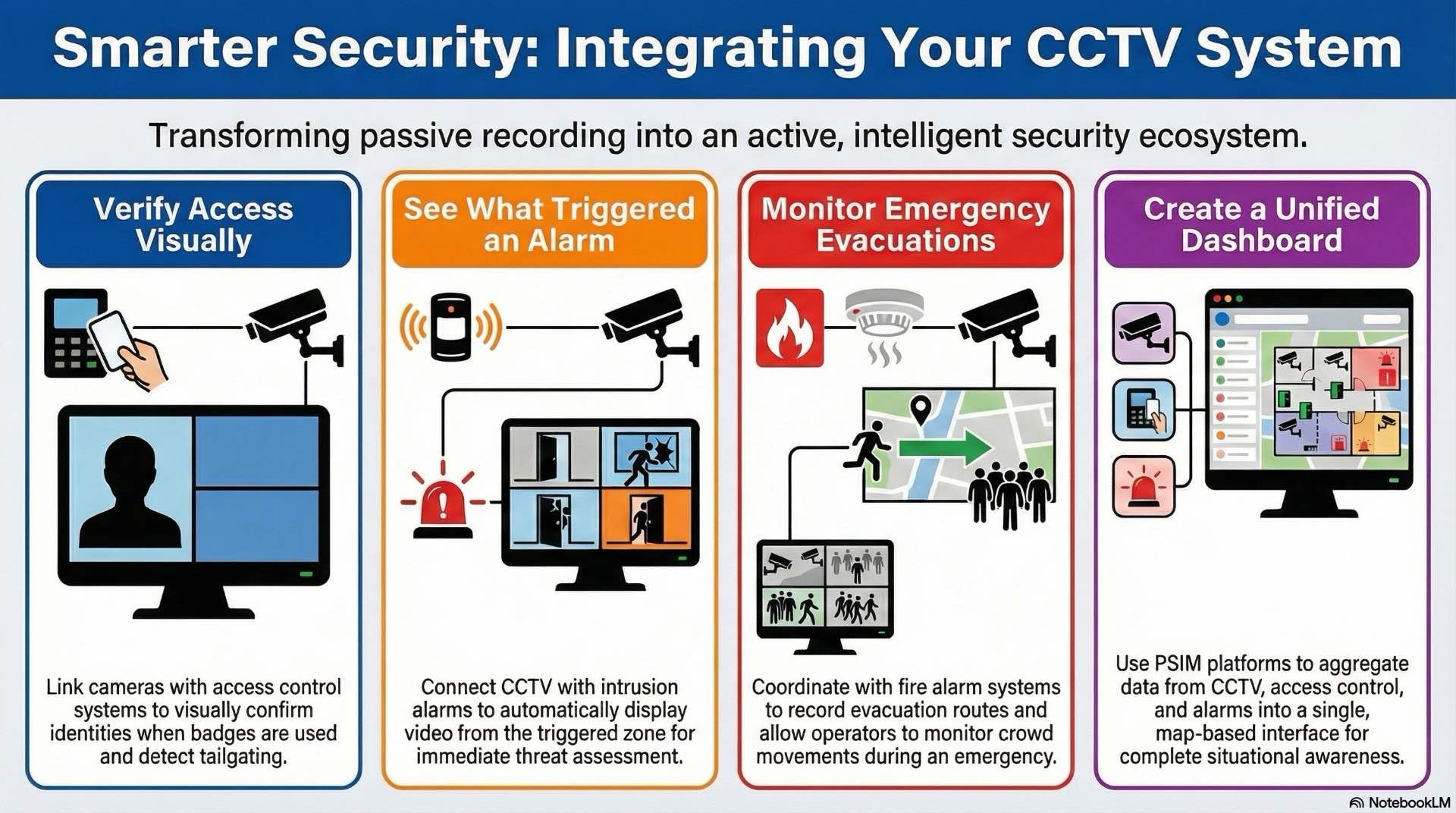
Integrated security combines multiple technologies into unified platforms. CCTV integration enhances situational awareness and automates workflows.
How CCTV integrates with access control for visual verification
Access control systems manage who enters secured areas. Integrating CCTV allows visual identity verification when badges are presented. Cameras near card readers capture video during access attempts. Denied access events trigger automatic recording. Tailgating detection uses analytics to identify multiple people passing after single credential presentations.
Linking with intrusion alarm panels and zones
Intrusion alarm systems detect unauthorized entry using motion detectors and door contacts. Linking alarms with CCTV automatically displays video from cameras near triggered zones. Operators visually assess whether alarms represent genuine threats before dispatching security. Recorded footage provides context for events.
Coordinating with fire alarm and evacuation systems
Fire alarm integration ensures cameras capture footage during emergencies. CCTV records evacuation routes and crowd movements. Operators monitor evacuation progress. Smoke detection analytics identify visible smoke in video streams, providing early warning before detectors activate.
BMS and SCADA integration for central facility monitoring
Building management systems control HVAC, lighting and energy. Integrating CCTV into BMS dashboards provides visual confirmation of equipment status. Cameras monitor mechanical rooms and critical infrastructure. SCADA integration allows operators to visually inspect industrial equipment.
Using CCTV with public address and voice alarm (PA/VA)
Public address systems broadcast announcements during emergencies. CCTV helps operators assess crowd conditions before announcements. Two-way audio integration enables operators to communicate through camera-mounted speakers for de-escalation or providing instructions.
ONVIF profiles and standards for interoperable devices
ONVIF promotes interoperability between manufacturers. ONVIF profiles define standardized interfaces. Profile S covers streaming. Profile T adds analytics metadata. Using ONVIF-compliant devices simplifies integration and reduces vendor lock-in while maintaining compatibility.
PSIM, command centers and unified security dashboards
Physical security information management platforms aggregate data from multiple systems. PSIM displays surveillance, access control and intrusion in unified dashboards. Command centers use video walls for multiple feeds. Map-based interfaces show camera locations and alarm zones.
Custom middleware and plugins for complex integrations
Some integrations require custom development. Middleware applications translate between proprietary protocols and standard interfaces. Plugins extend VMS functionality for specialized hardware. Custom integrations suit unique requirements but need ongoing maintenance.
Installation, design and commissioning best practices
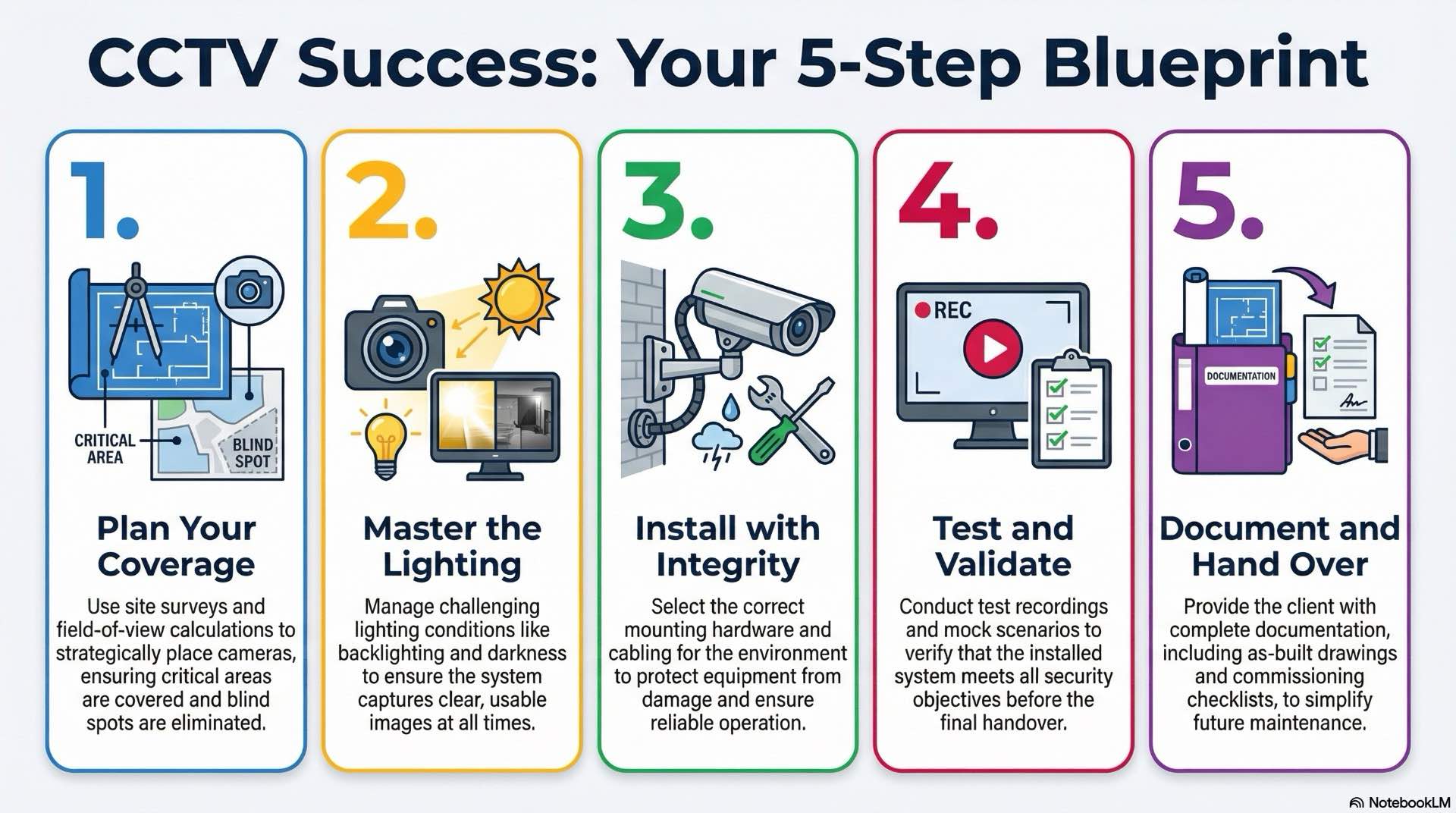
Proper design and installation determine whether systems meet security objectives. Following best practices ensures reliable operation.
Planning camera placement and field-of-view (FOV) coverage
Camera placement balances coverage, image quality and aesthetics. High-mounted cameras provide broader views but reduce facial detail. Field-of-view calculations use specifications and mounting distance to determine coverage. Critical areas like entrances require dedicated cameras. Overlapping coverage eliminates blind spots. Site surveys identify mounting locations and cable routes before installation.
Managing lighting, exposure and scene calibration for CCTV
Lighting directly affects image quality. Cameras pointed at windows experience backlighting that darkens subjects. Wide dynamic range or supplemental lighting mitigates this. Scene-specific exposure adjustments optimize quality for each location. Consistent lighting simplifies configuration.
Mounting methods, brackets and cable selection for installations
Mounting hardware must support camera weight and environmental conditions. Wall mounts suit indoor applications. Pole mounts position cameras on light posts. Cable selection depends on type and distance. Cat6 handles IP cameras reliably. Outdoor cable includes UV-resistant jackets. Conduit protects wiring from damage.
Site surveys, test recordings and validating CCTV coverage
Site surveys document existing conditions and confirm design assumptions. Surveyors measure distances and photograph locations. Test recordings verify cameras capture required detail. Mock scenarios validate coverage. Adjusting angles and settings based on tests ensures installed systems meet objectives.
Commissioning checklists and handover documentation for clients
Commissioning confirms equipment functions correctly. Checklists verify camera functionality, recording operation and integration. Operators receive training on operation and maintenance. Handover documentation includes as-built drawings, configurations and network diagrams. Clear documentation simplifies future expansion.
Operating and maintaining
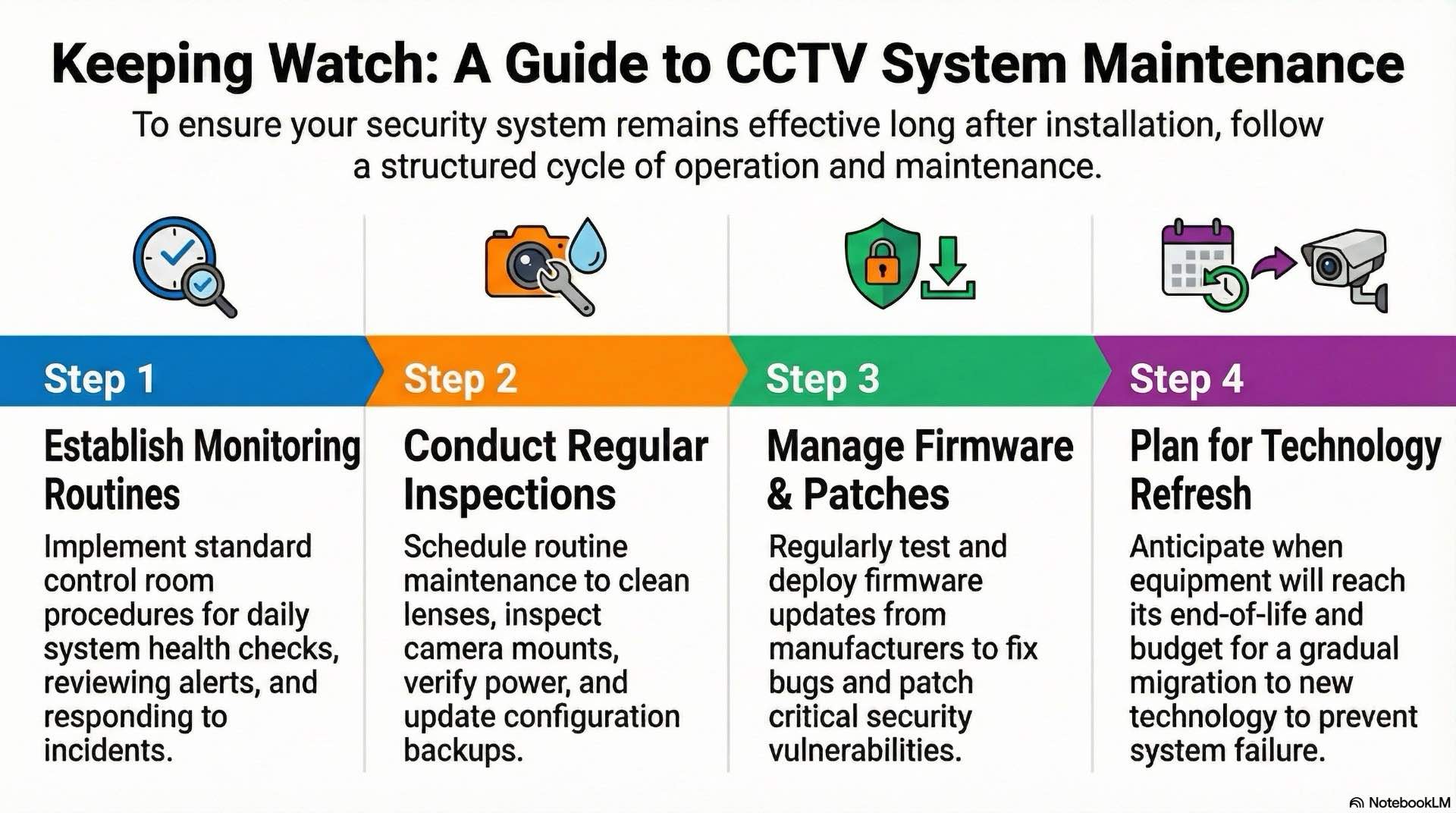
Ongoing operation and maintenance sustain performance. Proactive maintenance prevents failures and extends equipment life.
Control room workflows and daily monitoring routines
Control room operators follow standard procedures for monitoring live video and responding to alarms. Daily routines include system health checks and reviewing overnight alerts. Operators prioritize alarms by severity. Clear escalation procedures define when to notify management or contact emergency services.
Preventive maintenance plans and regular site inspections
Preventive maintenance includes cleaning lenses, inspecting mounts and verifying power supplies. Regular inspections identify issues before failures. Outdoor cameras require more frequent maintenance. Firmware updates address vulnerabilities. Configuration backups preserve settings before changes. Maintaining spare equipment reduces downtime.
SLAs, response times and support models
Service level agreements define expected performance and response times. Critical systems may require 24/7 support with on-site response within hours. SLAs specify uptime targets and maintenance schedules. Support models include manufacturer contracts, third-party services or in-house teams.
Incident handling, escalation and video investigation workflow
Incident response begins when alarms trigger or operators notice activity. Operators review live video and footage to assess situations. Standard procedures guide response decisions. Video investigation workflows organize evidence collection. Operators bookmark footage, export files and document findings. Chain of custody ensures evidence remains admissible.
Firmware updates, patches and lifecycle management
Manufacturers release firmware to fix bugs and patch vulnerabilities. Patch management procedures test updates before deploying to production. Staged rollouts update a few cameras first then expand if no issues occur. Equipment lifecycle planning anticipates when components reach end-of-life.
End-of-life planning and technology refresh for equipment
Components eventually become obsolete. End-of-life planning identifies replacement timelines and budget requirements. Gradual migration avoids large one-time expenses. Data migration ensures historical footage remains accessible after replacement. Planning migrations prevents data loss.
CCTV (Surveillance) privacy, security policy and legal compliance

Surveillance systems collect sensitive information. Organizations must balance security needs with privacy rights and legal obligations.
GDPR and regional data protection rules
General Data Protection Regulation governs how EU organizations handle personal data. CCTV captures identifiable images, making recordings subject to GDPR. Organizations must justify surveillance, minimize data collection and protect footage. Regional regulations vary. Some require signage notifying people of recording.
Defining video retention policies
Retention policies specify how long footage remains accessible. Policies balance operational needs, legal requirements and privacy considerations. Retaining footage longer than necessary increases risk and costs. Policies should document surveillance purpose, who accesses footage and circumstances for sharing.
Privacy masking, redaction and data minimization
Privacy masking blocks video frame portions to protect sensitive areas. Masks prevent recording private spaces like bathrooms or offices. Redaction blurs portions before sharing footage. Redaction protects bystander identities in footage provided to law enforcement. Data minimization limits surveillance to necessary purposes.
Evidence handling, chain of custody and access logging
Chain of custody documents who accessed footage and when. Maintaining unbroken chains ensures recordings remain admissible as evidence. Audit logs track every user action. Export procedures verify integrity. Digital signatures confirm files haven’t been modified.
Training operators on ethics and acceptable use
Operators require training on legal and ethical use. Training covers privacy laws, acceptable use policies and consequences of misuse. Operators learn when they can view footage and how to handle sensitive information. Regular refresher training reinforces best practices.
Audit trails, reporting and governance for CCTV security
Audit trails create accountability. Logs record system access, configuration changes and exports. Regular audits verify policy compliance. Management reviews findings and implements corrective actions. Governance frameworks define roles and oversight mechanisms.
Public vs private CCTV deployment guidelines and signage
Public CCTV deployments face stricter regulations than private systems. Public spaces may require community consultation. Signage informs people they’re entering monitored areas. Signs should identify who operates systems and provide contact information. Clear communication demonstrates respect for privacy while maintaining security.
CCTV is no longer just a camera sending video to a recorder. When combined with modern surveillance analytics, video management and security automation, it becomes a live sensing layer rather than a passive archive. Current platforms deliver real-time detection, behavioral insight and unified monitoring across sites and departments. To reach that level, organizations make deliberate choices about camera placement, network design, storage architecture and analytics tools, while respecting privacy and compliance obligations. A solid grasp of these fundamentals helps teams design installations that meet today’s security requirements and stay adaptable as technology and threats evolve.