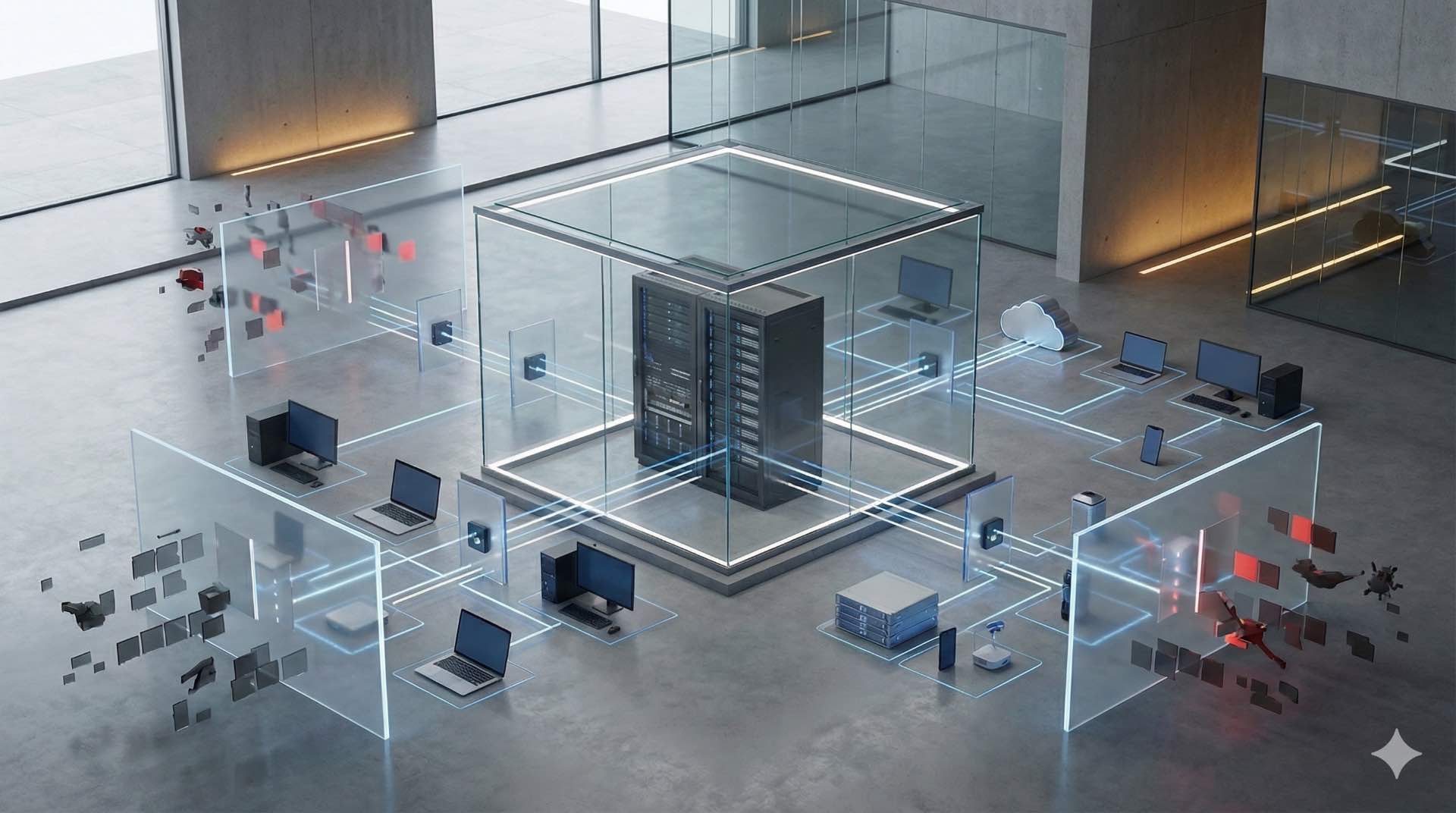


Server storage manages data using compute resources, virtualization, backup, and network connectivity across enterprise and data center environments.
Modern IT infrastructure depends on server and storage systems working together to handle compute workloads, persistent data, and availability requirements. Every enterprise application—from databases to email platforms—relies on storage technologies that preserve information across power cycles, hardware failures, and system upgrades. These environments use virtualization to maximize hardware utilization while network connectivity links servers to storage arrays for centralized data management. Organizations implement backup strategies that protect critical information by creating copies surviving hardware failures, ransomware attacks, and accidental deletions.
What Is Server Storage and How Does It Work
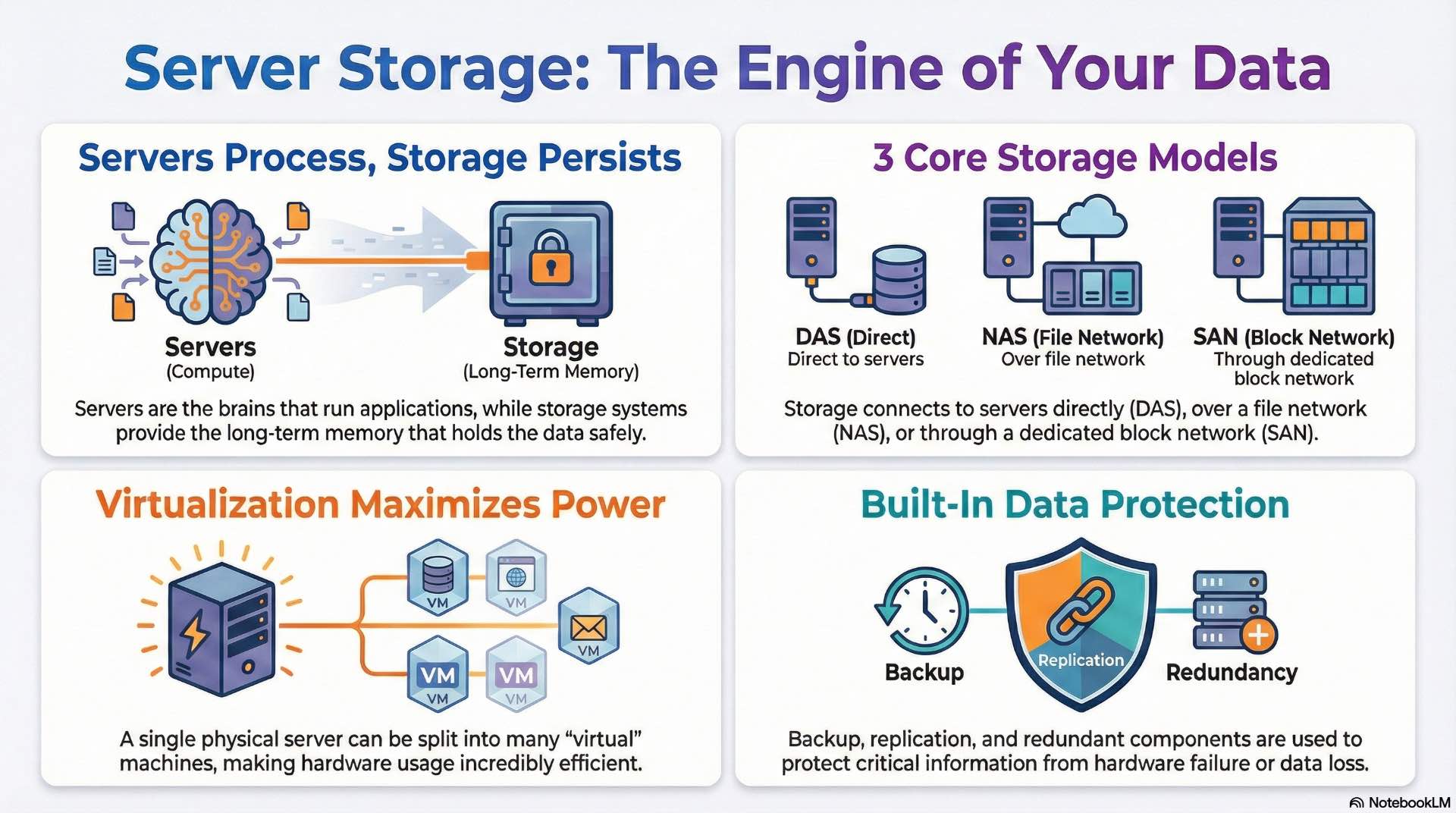
Server storage encompasses the hardware, software, and protocols that enable computing systems to write, read, and maintain persistent data. The server processes requests from applications and users while storage devices hold the actual data files, databases, and system configurations.
Storage systems attach to servers through direct connections, dedicated networks, or IP-based infrastructure depending on performance requirements. Network-based storage enables centralized management and allows multiple hosts to access shared data pools simultaneously. Data persistence relies on non-volatile media that retains information without continuous power. Storage controllers manage read/write operations, handle error correction, and optimize data placement across multiple drives.
What Are Server Technologies in IT Infrastructure

Rack, tower, and blade server types
Rack servers mount in standardized 19-inch cabinets using 1U, 2U, or 4U form factors. A typical 42U rack accommodates 20-40 servers depending on their height. Rack mounting simplifies cable management, cooling airflow, and physical maintenance access.
Tower servers resemble traditional desktop computers with standalone enclosures. Small offices and remote locations often deploy towers when rack infrastructure isn’t available. Blade servers pack compute modules into shared chassis that provide common power supplies, cooling fans, and network switches. A single blade chassis holds 8-16 compute nodes while reducing cabling complexity.
High-density and GPU server platforms
High-density servers maximize compute capacity per rack unit through compact designs and shared infrastructure components. These platforms typically support dual or quad processor configurations with 512 GB to 4 TB of memory per node. Thermal management becomes critical as power densities reach 20-30 kW per rack.
GPU servers integrate graphics processing units for parallel compute workloads including machine learning training, scientific simulation, and video rendering. A single server might contain four to eight GPU accelerators alongside traditional CPUs. GPU server platforms require substantial power and cooling infrastructure—individual units draw 2-3 kW compared to 500-800 W for standard servers.
What Is Virtualization and How Compute Platforms Work
Hypervisors and virtual machine architecture
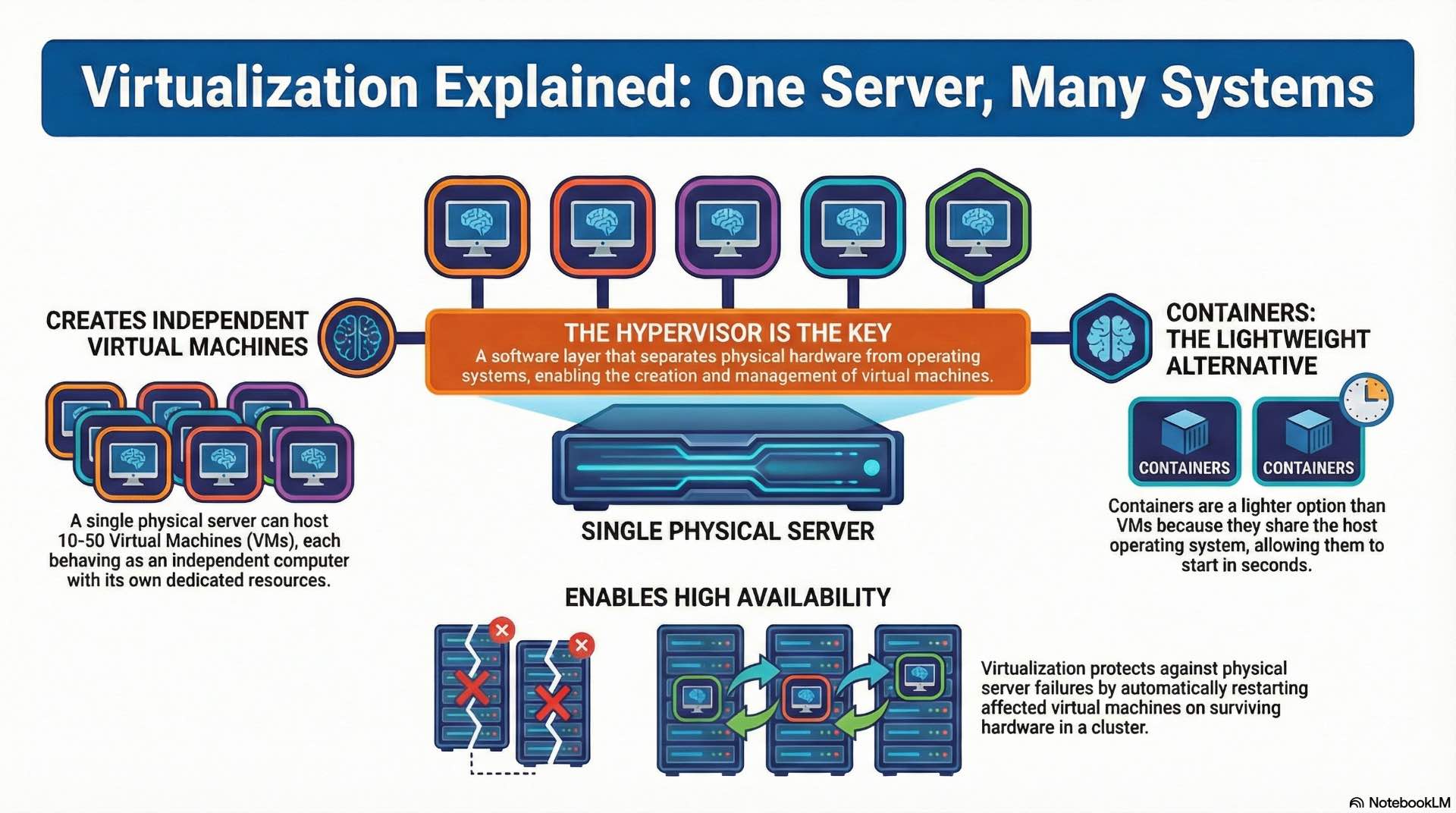
Hypervisors create abstraction layers between physical hardware and operating systems, enabling multiple virtual machines to share server resources. Type 1 hypervisors run directly on bare metal without an underlying operating system. Type 2 hypervisors operate as applications within existing operating systems, simplifying deployment but adding processing overhead.
Virtual machines behave as independent computers with dedicated CPU cores, memory allocations, and storage volumes. A single physical server commonly hosts 10-50 virtual machines depending on workload requirements. Resource contention occurs when multiple virtual machines compete for the same physical resources. Hypervisors use scheduling algorithms to balance workloads and prevent any single VM from monopolizing CPU cycles.
Container platforms and orchestration systems
Containers share the host operating system kernel while isolating application processes and dependencies. This lightweight approach starts containers in seconds compared to minutes for virtual machine boot sequences. Container images package applications with their libraries and configuration files for consistent deployment across environments.
Orchestration platforms manage container deployment, scaling, and networking across clusters of hosts. These systems automatically restart failed containers and distribute workloads across available nodes. Container orchestration has become essential for microservices architectures.
Resource allocation and high availability models
Resource allocation determines how physical capacity distributes among virtual workloads. Memory allocation typically remains static—VMs receive dedicated RAM. CPU allocation uses time-slicing to share processor cycles among competing workloads based on priority settings.
High availability configurations protect against server failures through redundancy and automatic failover mechanisms. Clustered hypervisors detect when physical hosts fail and restart affected virtual machines on surviving nodes. Storage plays a critical role in high availability—virtual machine disk files must reside on shared storage accessible from all cluster nodes.
What Are Storage Technologies and How They Store Data
DAS, NAS, and SAN storage models
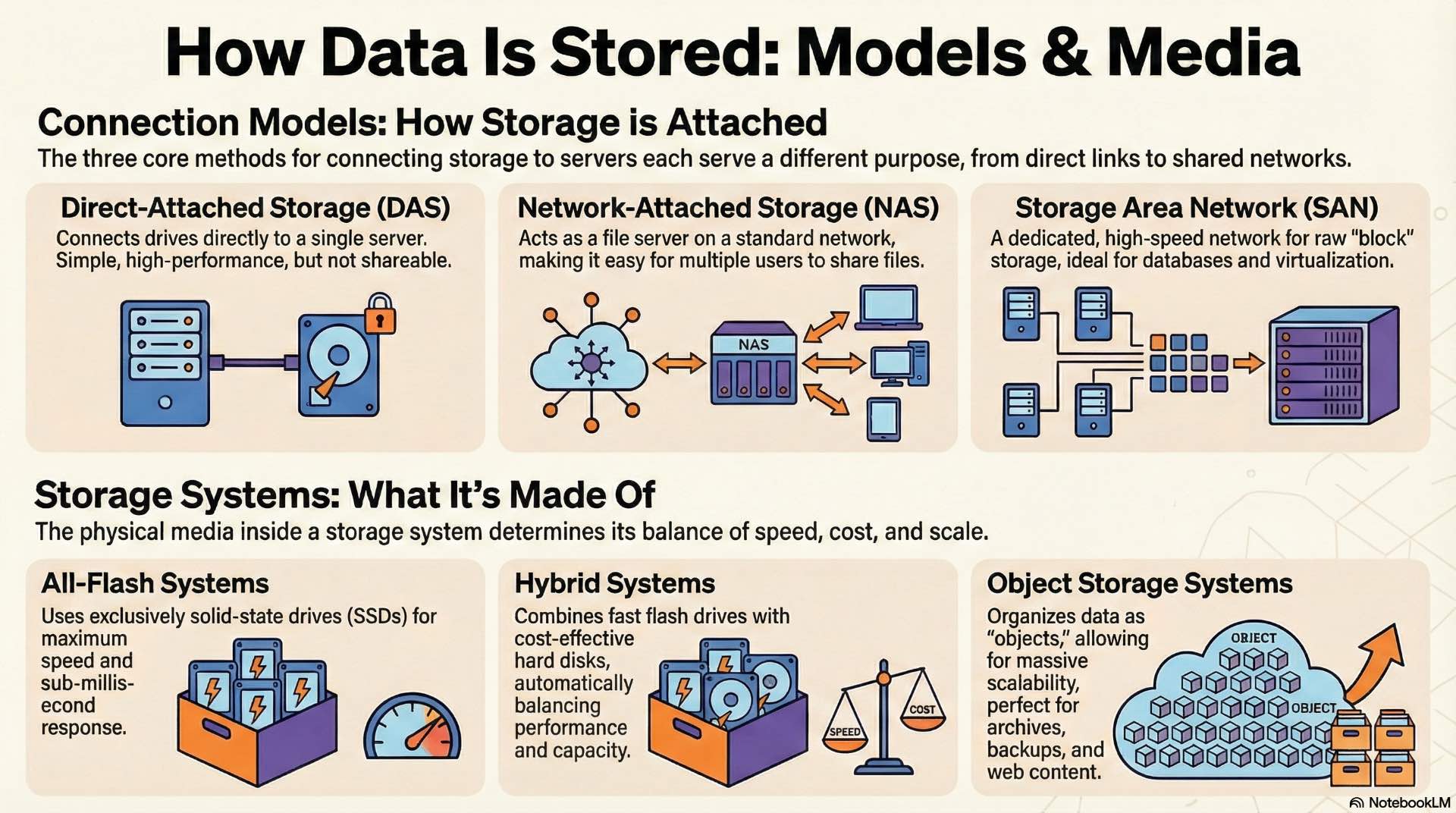
Direct-attached storage connects drives directly to individual servers using internal slots or external enclosures. DAS offers simplicity and high performance but limits data sharing—only the attached server accesses those drives. This model works well for dedicated database servers or applications that don’t require multi-host data access.
Network-attached storage presents file systems to clients over standard IP networks using protocols like NFS and SMB. NAS devices operate as file servers, handling file-level requests from multiple clients simultaneously. Network-attached storage simplifies shared file access for collaboration environments, media workflows, and general-purpose file sharing.
Storage area networks create dedicated networks specifically for block-level storage traffic. SANs use Fibre Channel or iSCSI protocols to connect servers with storage arrays. Block storage presents raw volumes that servers format with their own file systems, providing flexibility and performance for database and virtualization workloads.
All-flash, hybrid, and object storage systems
All-flash arrays use solid-state drives exclusively, eliminating mechanical latency entirely. These systems deliver consistent sub-millisecond response times regardless of workload patterns. Flash storage costs more per gigabyte than hard drives but dramatically reduces response times for latency-sensitive applications.
Hybrid arrays combine flash and spinning disk within the same system. Frequently accessed data automatically migrates to flash tiers while cold data remains on cost-effective hard drives. Intelligent tiering algorithms analyze access patterns and move data between tiers without administrator intervention.
Object storage organizes data as discrete objects with unique identifiers and metadata rather than traditional file hierarchies. This architecture scales to billions of objects across distributed clusters. Object storage suits unstructured data like backups, archives, media files, and web content that doesn’t require traditional file system semantics.
How Data Protection and Backup Systems Work
Backup methods and retention strategies
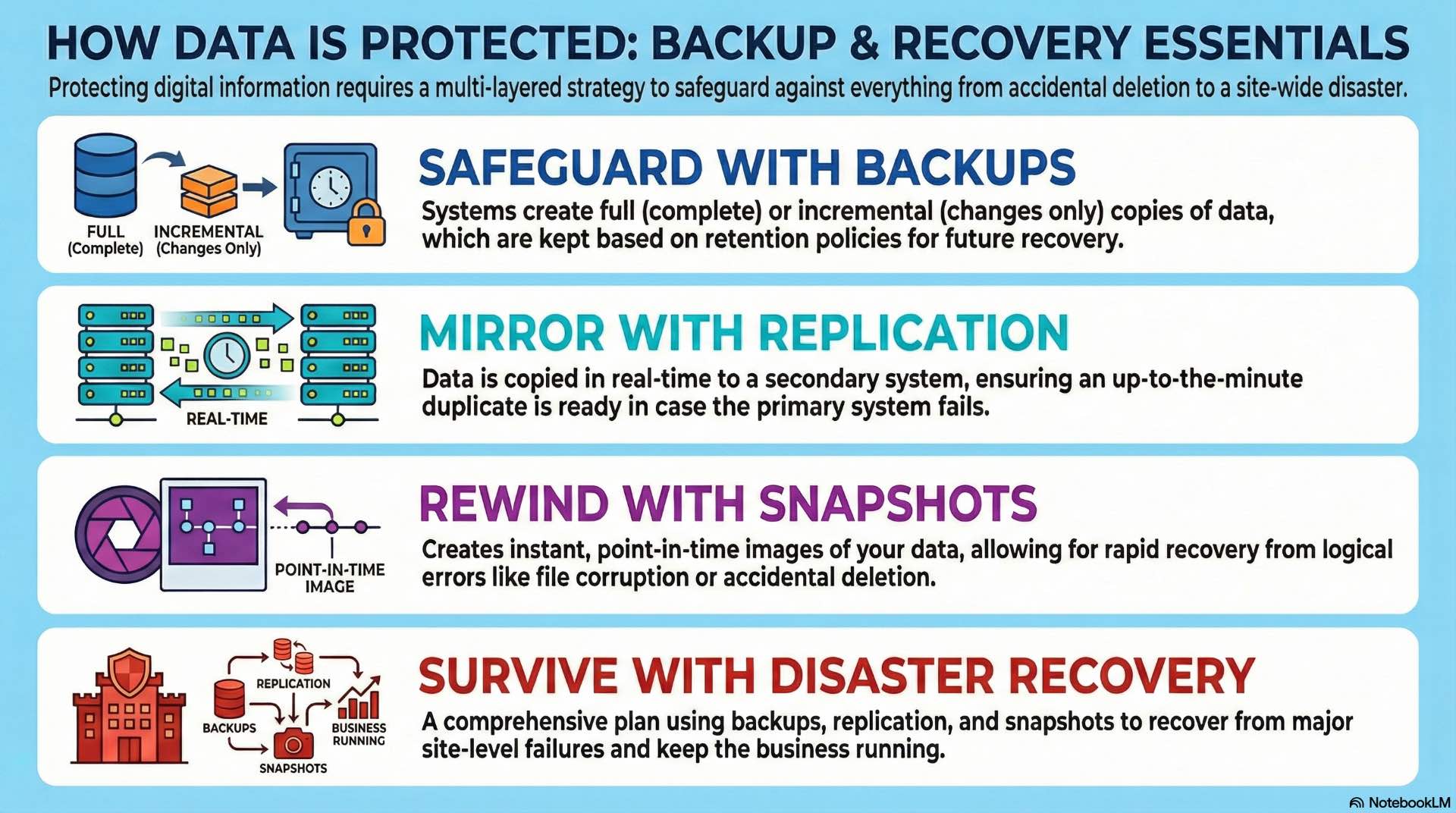
Full backups capture complete copies of all protected data during each backup operation. This approach simplifies recovery—administrators restore from a single backup set without dependencies on previous jobs. However, full backups consume substantial storage capacity and require lengthy backup windows for large data sets.
Incremental backups capture only changes since the previous backup, dramatically reducing backup time and storage consumption. Recovery requires the most recent full backup plus all subsequent incrementals, increasing restore complexity. Most organizations combine weekly full backups with daily incrementals to balance protection and efficiency.
Retention policies define backup availability and recovery windows. Regulatory requirements often mandate minimum retention periods—financial records might require seven-year retention while operational data needs only 30-90 days. Tiered retention strategies keep recent backups on fast storage while archiving older copies to less expensive media.
Replication, snapshots, and disaster recovery
Storage replication copies data between systems in real-time or near-real-time intervals. Synchronous replication waits for acknowledgment from the target system before completing write operations, ensuring zero data loss at the cost of latency. Asynchronous replication accepts writes locally and transmits changes periodically, allowing some data loss during failures but maintaining application performance.
Snapshots create point-in-time images of storage volumes using copy-on-write techniques. Initial snapshots consume minimal space—only changed blocks require additional capacity as data diverges from the snapshot baseline. Organizations use snapshots for rapid recovery from logical errors, test data provisioning, and application-consistent backup coordination.
Disaster recovery planning protects against site-level failures including natural disasters, extended power outages, and facility damage. Recovery point objectives define acceptable data loss measured in time—a 15-minute RPO means losing no more than 15 minutes of transactions during failover. Recovery time objectives specify how quickly applications must return to service after disaster declaration.
What Are Server Hardware Components
CPU, memory, and system architecture
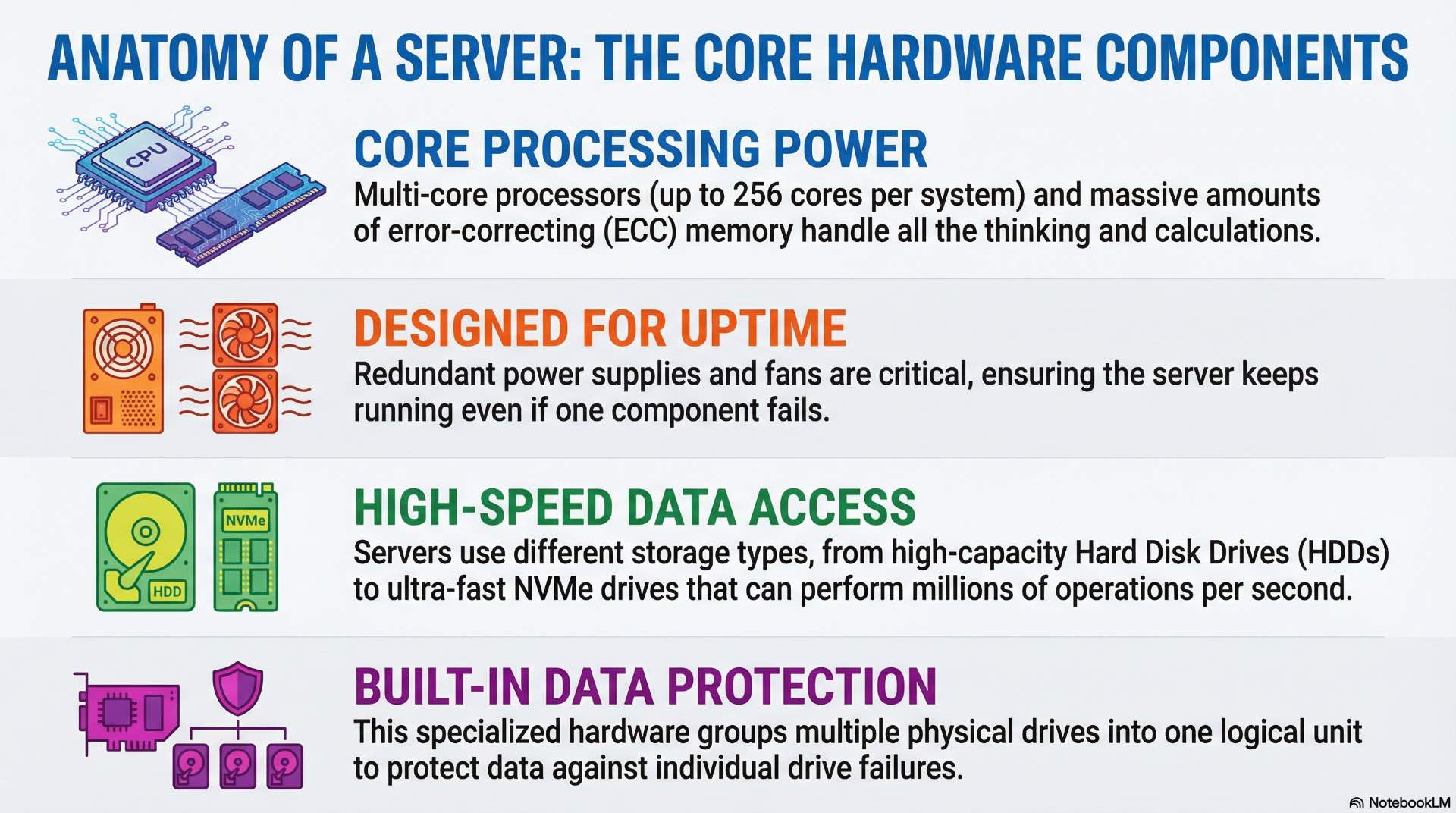
Modern servers use multi-core processors with 16-64 cores per socket. Enterprise platforms support dual or quad socket configurations, reaching 128-256 total cores per system. Processor selection depends on workload characteristics—databases benefit from high clock speeds while virtualization platforms favor core count.
Server memory uses error-correcting code modules that detect and correct single-bit errors automatically. ECC protection prevents data corruption from cosmic rays, electrical noise, and component aging. Enterprise servers support 16-64 memory slots with capacities reaching 4-12 TB per system using current DDR5 technology.
System architecture determines how processors access memory and communicate with peripherals. Non-uniform memory access designs partition memory between processor sockets, with each CPU accessing local memory faster than remote memory. Workload placement must consider NUMA topology to maintain optimal memory performance.
Power supply, cooling, and redundancy
Server power supplies convert facility AC power to the DC voltages required by internal components. Typical servers draw 500-1500 W under full load depending on configuration. Redundant power supplies ensure continuous operation if one unit fails—hot-swap capability allows replacement without shutting down the system.
Cooling removes heat generated by processors, memory, and storage devices. Servers use internal fans to move air across heatsinks and out through rear vents. Data center cooling infrastructure maintains inlet air temperatures between 18-27°C per ASHRAE guidelines.
Redundant components eliminate single points of failure throughout server designs. Dual power supplies, redundant fans, and hot-spare memory configurations maintain operation despite individual component failures. Enterprise servers automatically alert administrators when redundant components fail, enabling proactive replacement before protection lapses.
What Are Storage Hardware Components
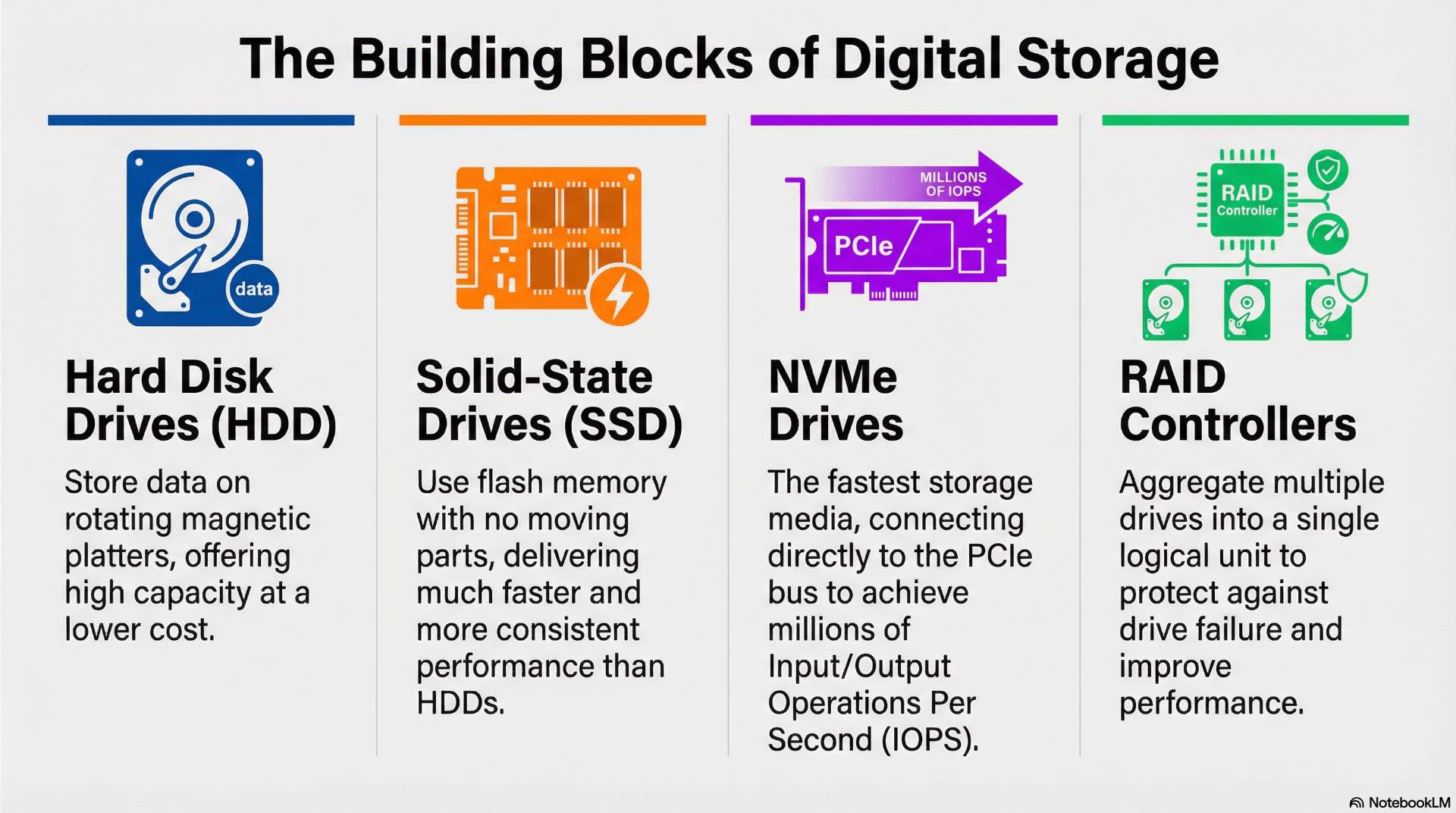
HDD, SSD, and NVMe storage media
Hard disk drives store data on rotating magnetic platters using read/write heads positioned by mechanical actuators. Enterprise HDDs operate at 7,200-15,000 RPM with capacities reaching 20+ TB per drive. Mechanical components introduce latency—typical HDDs deliver 100-200 random IOPS compared to thousands from solid-state alternatives.
SATA and SAS solid-state drives replace spinning components with flash memory arrays. These drives eliminate mechanical latency, delivering consistent performance regardless of access patterns. Enterprise SSDs use wear-leveling algorithms and over-provisioned capacity to extend operational lifespan under sustained write workloads.
NVMe drives connect directly to the PCIe bus, bypassing legacy storage interfaces designed for spinning disks. This architecture reduces latency and increases throughput—NVMe drives can deliver millions of IOPS under suitable workloads and queue depths with microsecond response times. NVMe has become the standard interface for high-performance storage applications.
RAID controllers and storage enclosures
RAID controllers aggregate multiple drives into logical volumes with various protection schemes. The RAID 1 mirrors data across drive pairs for simple redundancy. RAID 5 and RAID 6 distribute parity information across drive groups, surviving one or two drive failures respectively while maintaining usable capacity above 50%.
Storage controllers cache frequently accessed data in onboard RAM, accelerating read operations and buffering writes. Battery-backed or flash-protected cache ensures pending writes complete even during power failures. In read-heavy or repetitive workloads, high cache hit rates significantly reduce effective latency for applications.
Storage enclosures house multiple drives with shared power, cooling, and connectivity infrastructure. External enclosures connect to servers via SAS or Fibre Channel interfaces, expanding storage capacity beyond internal drive bays. High-density enclosures pack 60-100 drives in 4U form factors.
What Are Server Operating Systems and Management Tools
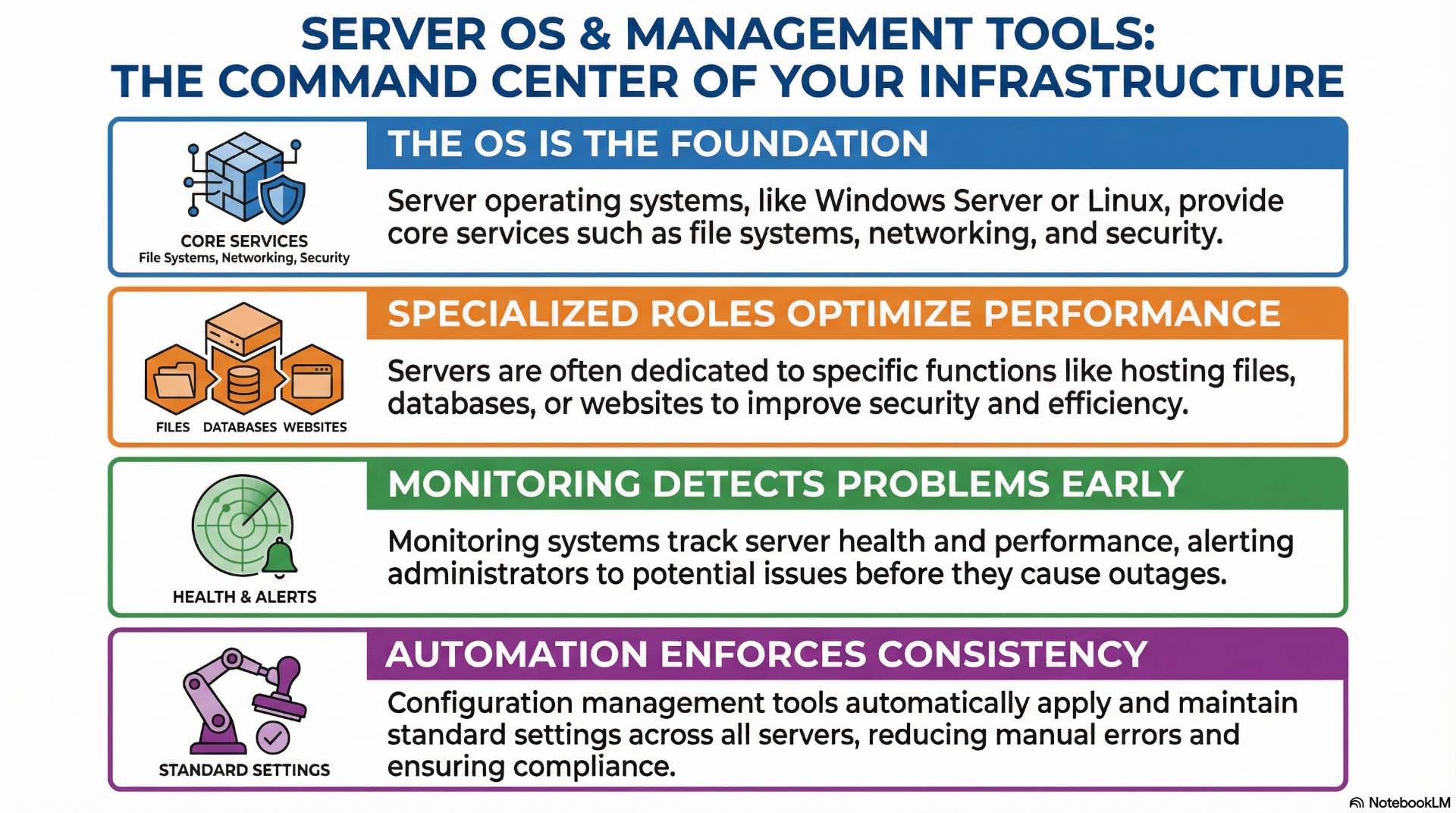
Server operating system roles and services
Server operating systems provide foundational services including file systems, networking stacks, process scheduling, and hardware abstraction. Windows Server and Linux distributions dominate enterprise deployments, each offering different management paradigms and application ecosystems. OS selection typically follows application requirements and organizational expertise.
Role-based configurations dedicate servers to specific functions—file servers, database hosts, web servers, or domain controllers. This specialization simplifies management, improves security through reduced attack surface, and optimizes performance for intended workloads. Container hosts and hypervisors represent specialized OS roles optimized for those specific functions.
Monitoring, automation, and configuration tools
Monitoring systems collect performance metrics, log entries, and health indicators from servers and storage devices. Dashboards visualize resource utilization trends while alerting mechanisms notify administrators when thresholds breach acceptable ranges. Effective monitoring detects developing problems before they impact production services.
Configuration management tools enforce consistent system states across server fleets. These platforms define desired configurations declaratively and automatically remediate drift when systems deviate from standards. Automation reduces manual errors, ensures compliance with security policies, and accelerates deployment of new systems.
Infrastructure-as-code practices treat server configurations as software artifacts subject to version control and change management. This approach enables reproducible deployments, simplified disaster recovery, and auditable configuration histories. Modern operations teams manage thousands of servers using these programmatic techniques.
How Storage Management and Optimization Improve Performance
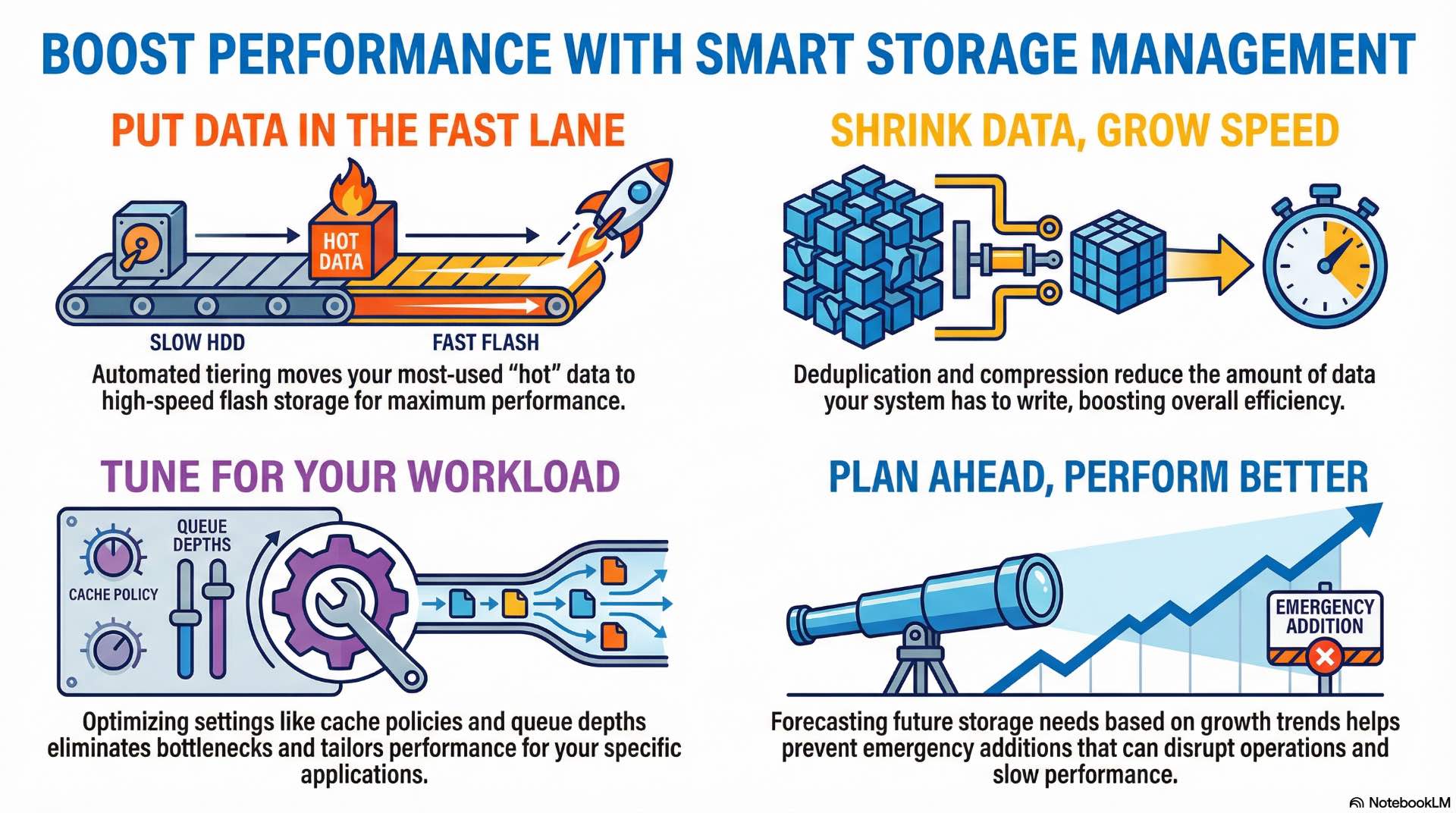
Capacity planning and tiered storage
Capacity planning forecasts storage consumption based on historical growth rates, planned projects, and data retention requirements. Accurate projections prevent emergency capacity additions that disrupt operations and budgets. Most organizations plan 18-24 months ahead with quarterly reviews adjusting for actual consumption trends.
Tiered storage assigns data to media types matching access patterns and performance requirements. Hot data resides on fast flash storage while warm and cold data migrates to less expensive alternatives. Automated tiering moves data between performance tiers based on actual access frequency without administrator intervention.
Storage efficiency features reduce physical capacity requirements. Thin provisioning allocates logical volumes larger than underlying physical capacity, assuming not all space will be consumed simultaneously. Over-provisioning ratios of 2:1 to 4:1 are common in environments with predictable data patterns.
Deduplication, compression, and performance tuning
Deduplication eliminates redundant data blocks by storing identical content once and maintaining pointers to shared copies. Virtual machine environments and backup repositories benefit dramatically—deduplication ratios of 10:1 or higher are achievable when many systems share common operating system files and application binaries.
Compression reduces storage consumption by encoding data more efficiently. Modern systems use inline compression that processes data during write operations without noticeable performance impact. Compression effectiveness varies with data types—text and structured data compress well while encrypted and media files show minimal reduction.
Performance tuning optimizes storage systems for specific workload characteristics. Configuration parameters control queue depths, cache policies, stripe sizes, and read-ahead algorithms. Monitoring identifies bottlenecks in storage paths—drive saturation, controller limits, or network congestion—guiding targeted optimization efforts.
How Server and Storage Networking Works
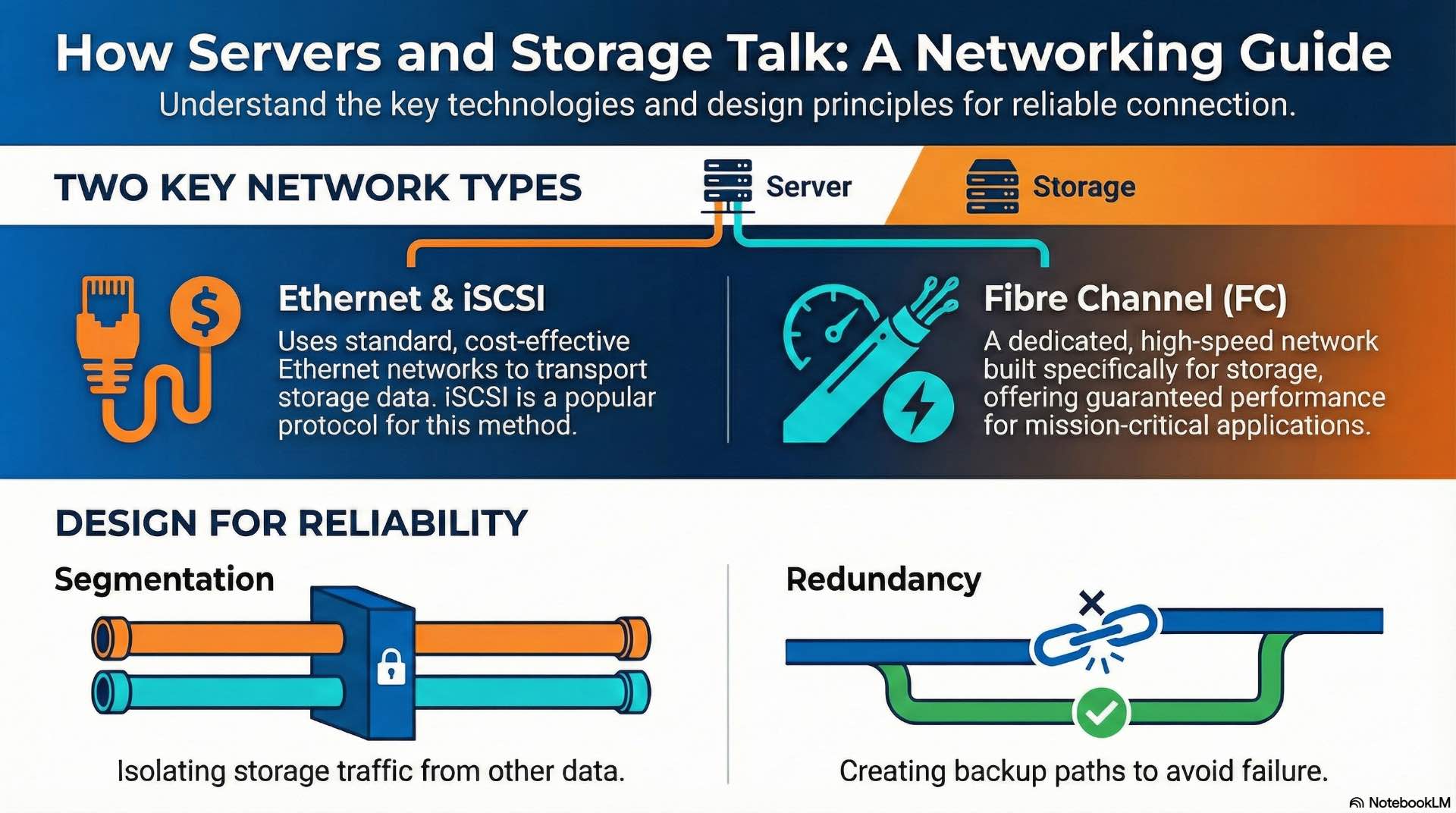
Ethernet, Fibre Channel, and iSCSI networking
Ethernet dominates general-purpose networking with speeds from 1 Gbps to 400 Gbps. Storage traffic increasingly uses Ethernet infrastructure, particularly in converged environments that combine data and storage networks. Network quality of service settings prioritize storage traffic to prevent congestion from impacting application performance.
Fibre Channel provides dedicated storage networking with guaranteed bandwidth and low latency. FC fabrics operate at 16, 32, or 64 Gbps speeds with support for long distances between data center locations. Enterprise SANs traditionally use Fibre Channel for mission-critical database and virtualization workloads.
iSCSI encapsulates SCSI commands within TCP/IP packets, enabling block storage over standard Ethernet networks. This approach reduces infrastructure costs by eliminating dedicated storage networks. iSCSI networking benefits from proper segmentation to isolate storage traffic and ensure consistent performance.
Network segmentation and redundancy design
Network segmentation isolates storage traffic from general-purpose data flows. Dedicated VLANs or physical networks prevent bandwidth contention and improve security posture. Storage networks often use jumbo frames with 9000-byte MTUs when end-to-end support exists for optimal throughput.
Redundant network paths eliminate single points of failure in storage connectivity. Multipathing software balances traffic across multiple paths and automatically fails over when links fail. Many Fibre Channel SAN deployments use dual fabric designs with completely independent network infrastructure for each path.
Switch architectures affect storage network performance and reliability. Non-blocking fabrics ensure any port can communicate with any other at full bandwidth simultaneously. Storage networks require careful oversubscription planning to maintain consistent performance under peak loads.
How Server and Storage Installation and Commissioning Is Done

Physical deployment and cabling practices
Physical installation begins with rack placement considering weight distribution, power density, and cooling airflow. Heavy storage arrays typically mount in lower rack positions. Clear spacing between equipment ensures adequate airflow and maintenance access.
Structured cabling practices organize connections systematically using color coding, proper labeling, and cable management infrastructure. Fiber optic cables require gentle bend radii—minimum 10-15x the cable diameter. Power connections require proper circuit allocation with dual-corded equipment connecting to separate circuits.
Initial configuration and system testing
Initial configuration establishes network addressing, storage provisioning, and management access. Baseline configurations include firmware updates, security hardening, and monitoring agent deployment. Documentation captures IP addresses, port assignments, and configuration parameters.
Acceptance testing validates that installed systems meet performance and functionality specifications. Burn-in periods identify components prone to early failure before production deployment. Running systems under load for 24-72 hours exposes infant mortality failures that would otherwise disrupt production services.
How Server and Storage Operations and Maintenance Are Managed
Monitoring, updates, and lifecycle management
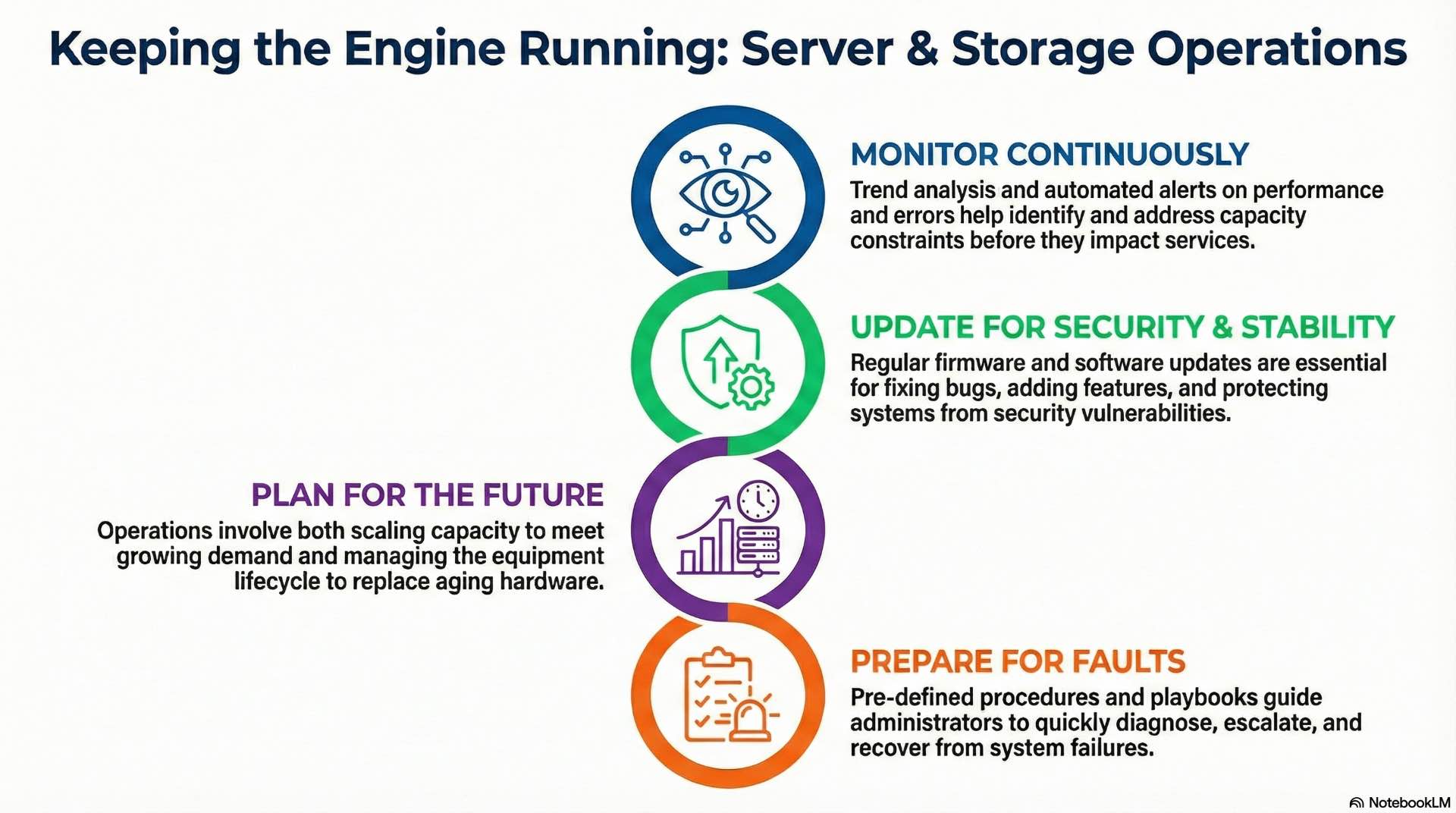
Continuous monitoring tracks resource utilization, error rates, and performance metrics across server and storage infrastructure. Trending analysis identifies capacity constraints before they impact services. Automated alerting ensures administrators respond quickly to developing issues.
Firmware and software updates maintain security and stability while adding features and fixing bugs. Change management processes coordinate updates to minimize service impact. Rolling updates patch systems sequentially while maintaining service availability throughout the maintenance window.
Lifecycle management tracks equipment age and plans for replacement before failure rates increase. Enterprise servers typically have 5-7 year lifecycles before technology obsolescence and component aging justify replacement. Storage systems follow similar timelines, though capacity growth often drives earlier refresh cycles.
Fault handling and capacity scaling
Fault handling procedures define response actions for various failure scenarios. Playbooks guide administrators through diagnostic steps, escalation paths, and recovery procedures.
Capacity scaling adds resources to meet growing demand. Scale-up approaches add components to existing systems. Scale-out approaches add additional systems to distribute workloads horizontally. Most modern architectures favor scale-out designs for flexibility. Enterprise hardware procurement typically requires 4-8 weeks from order to delivery.
How Server and Storage Security and Compliance Are Applied
Access control, authentication, and encryption
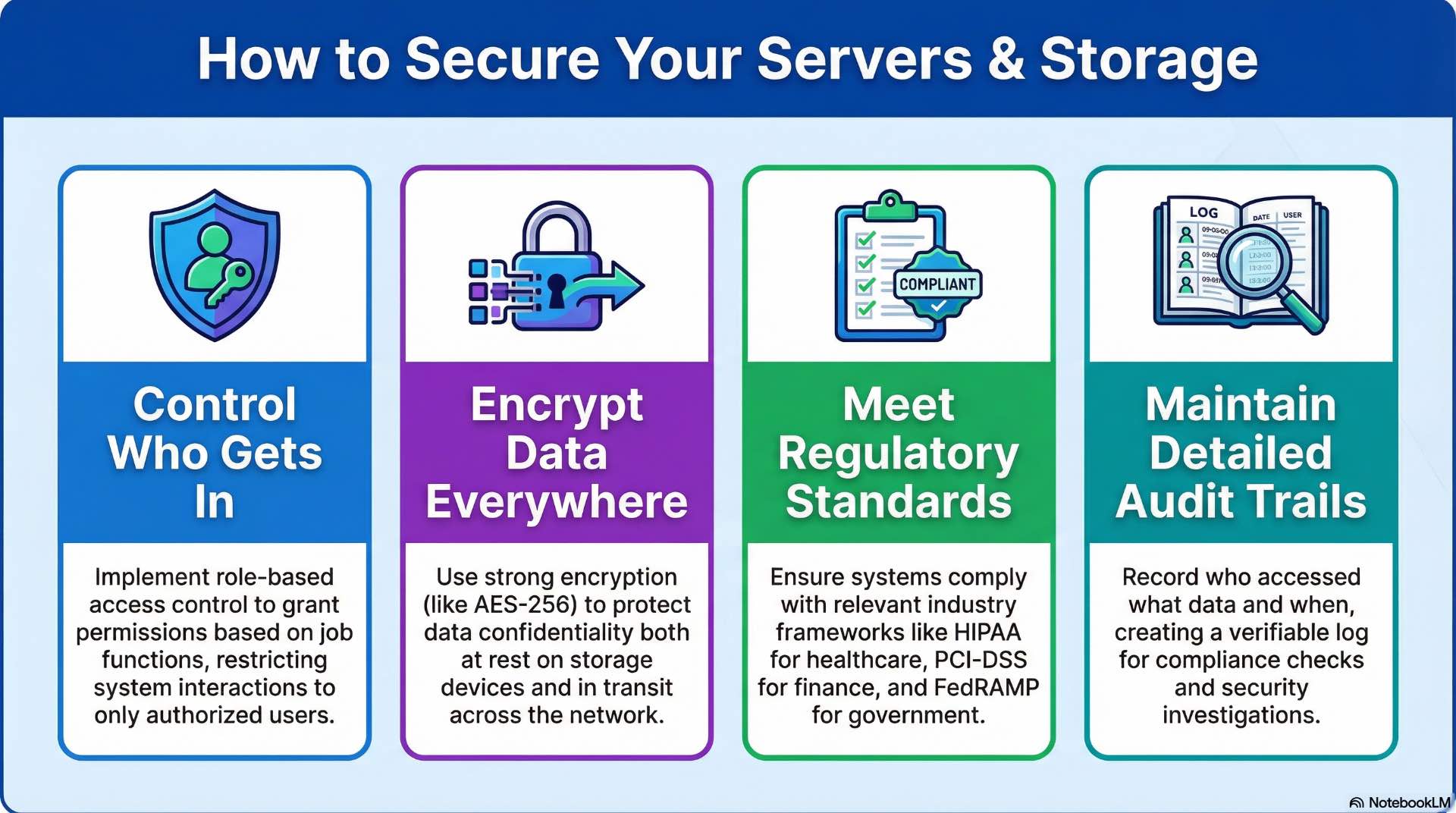
Access control restricts system interactions to authorized users and processes. Role-based access assigns permissions based on job functions rather than individual identities. Privileged access management limits administrative capabilities to specific personnel with audit logging of all privileged actions.
Authentication verifies user identities before granting access. Multi-factor authentication combines something users know, have, and are—passwords, tokens, and biometrics. Integration with enterprise directory services centralizes authentication management across server and storage infrastructure.
Encryption protects data confidentiality at rest and in transit. Storage encryption uses AES-256 or similar algorithms to render data unreadable without proper keys. Network encryption wraps storage protocols in TLS sessions, preventing eavesdropping on data transfers between servers and storage arrays.
Regulatory standards and audit requirements
Regulatory frameworks impose specific requirements on data handling and system security. Financial services follow PCI-DSS for payment data and SOX for financial reporting integrity. Healthcare organizations comply with HIPAA requirements for protected health information. Government systems adhere to FedRAMP and NIST frameworks.
Audit requirements demand demonstrable compliance through documentation, logging, and periodic assessments. Audit trails record who accessed what data and when, supporting investigations and compliance verification. Log retention policies preserve evidence for required periods—often seven years for financial records.
Compliance automation tools continuously assess configurations against regulatory requirements. These systems detect drift from compliant states and alert administrators to remediation needs. Automated compliance checking reduces audit preparation burden and catches violations before external assessors discover them.
Where Server Storage Systems Are Used

Data centers and enterprise IT environments
Enterprise data centers consolidate server and storage infrastructure in purpose-built facilities with redundant power, cooling, and connectivity. These environments support thousands of servers managing diverse workloads from email and collaboration to enterprise resource planning and customer relationship management.
Colocation facilities provide data center infrastructure without ownership responsibilities. Organizations deploy their own servers and storage in leased cabinet space with shared power, cooling, and physical security. This model suits organizations that need enterprise-class facilities without capital investment in real estate and infrastructure.
Edge deployments position server infrastructure closer to data sources and users. Manufacturing plants, retail locations, and branch offices use compact server and storage systems for local processing. Edge systems reduce latency for time-sensitive applications while minimizing bandwidth requirements to central data centers.
Cloud platforms and industry-specific deployments
Cloud platforms deliver server and storage resources as consumption-based services. Infrastructure-as-a-service offerings provide virtual servers and storage resources that scale with demand. Organizations shift capital expenditure to operational expense while gaining flexibility to adjust capacity dynamically.
Industry-specific deployments address unique requirements for particular sectors. Media and entertainment facilities use high-bandwidth storage for video production workflows. Healthcare systems prioritize data protection and regulatory compliance. Financial services demand extreme reliability and audit capabilities.
Server and storage systems form the foundation of modern digital operations regardless of industry. These platforms rely on virtualization for workload flexibility and resource optimization while network infrastructure enables data movement between compute nodes and persistent storage. Organizations that implement backup and recovery controls for business continuity make better decisions about infrastructure investments and technology strategies. Proper design, implementation, and management ensure these systems deliver the reliability, performance, and security that business operations require.