


Hospitality networks case study explains how hotel WiFi and network design choices impact guest WiFi experiences and WiFi troubleshooting in modern hotels.
Modern hospitality networks power every hotel operation, yet many properties struggle with slow connections. Your hotel WiFi delivers more than email—it enables mobile check-in, digital room keys, and streaming entertainment. Poor network design creates problems that ruin guest WiFi quality and complicate WiFi troubleshooting efforts. When hotel WiFi fails, guests leave negative reviews. Smart hospitality networks rely on proper planning and quality equipment. Effective network design prevents issues, while systematic WiFi troubleshooting resolves problems quickly. This guide explains common mistakes that break guest WiFi and shows you how to build reliable hospitality networks.
Hospitality Networks and Guest WiFi Expectations
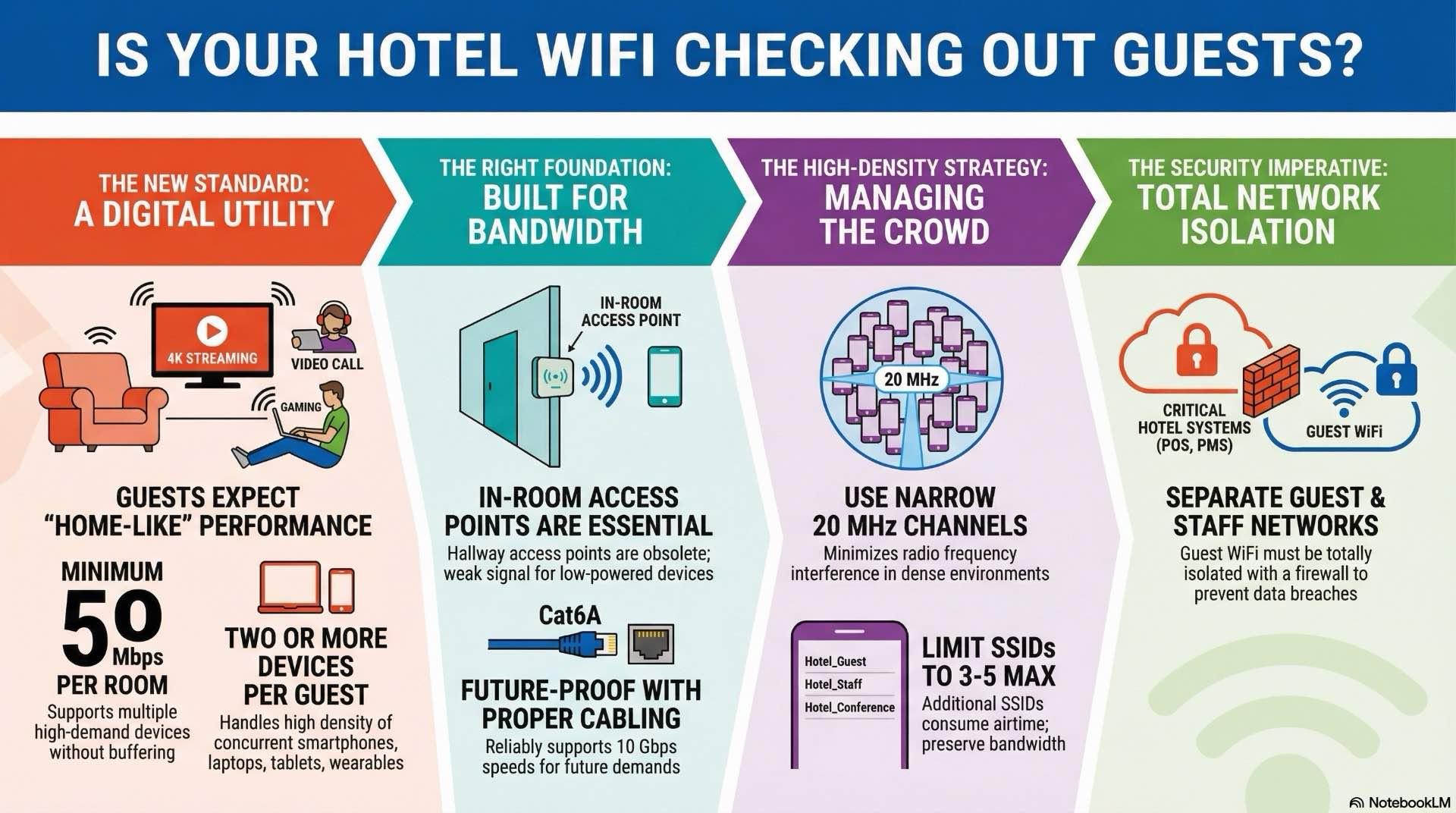
Today’s travelers expect hotel WiFi to work perfectly from arrival to checkout. They stream 4K videos, join video conferences, and upload photos without buffering. When guest WiFi fails, travelers blame your property online. Strong hospitality networks support every digital service guests use. Your mobile apps depend on solid network design to communicate with front-desk systems. Digital room keys need reliable guest WiFi between smartphones and locks.
Building effective hospitality networks requires teamwork between owners, IT staff, and operations managers. This complexity explains why network design projects often fail—teams buy cheap equipment instead of quality solutions. Engineers size hotel WiFi for average usage rather than peak demand. Security becomes an afterthought instead of a core feature. Effective WiFi troubleshooting gets harder when vendors provide different equipment without coordination.
Hotels face unique challenges. A 200-room property might support 600 guests with 1,500 devices creating unpredictable traffic constantly. When hospitality networks fail, revenue stops immediately. Payment processing halts and electronic locks fail. This makes reliable network design essential. Proper WiFi troubleshooting tools become critical when problems occur.
Design Mistakes that Break Hospitality Networks
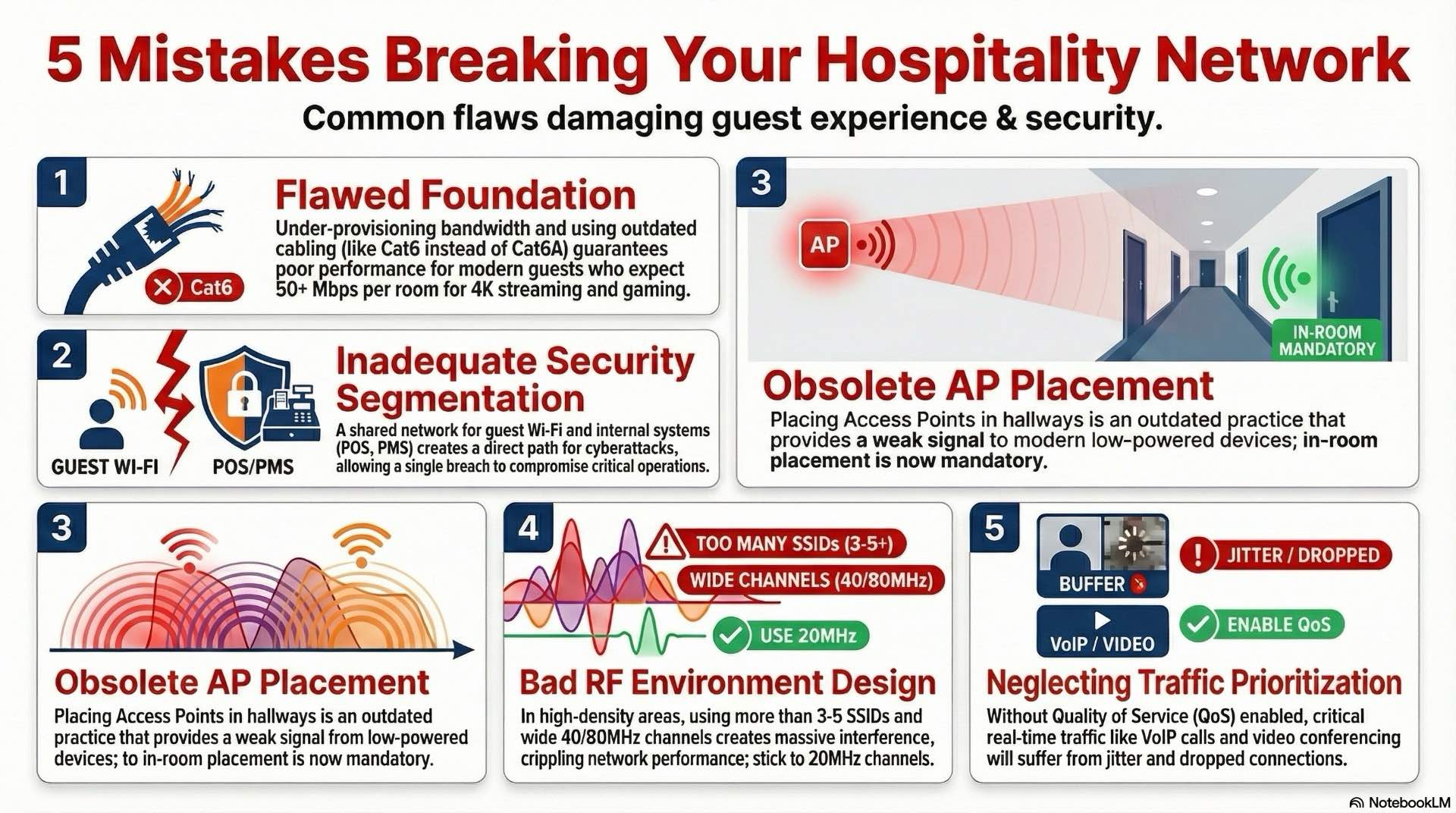
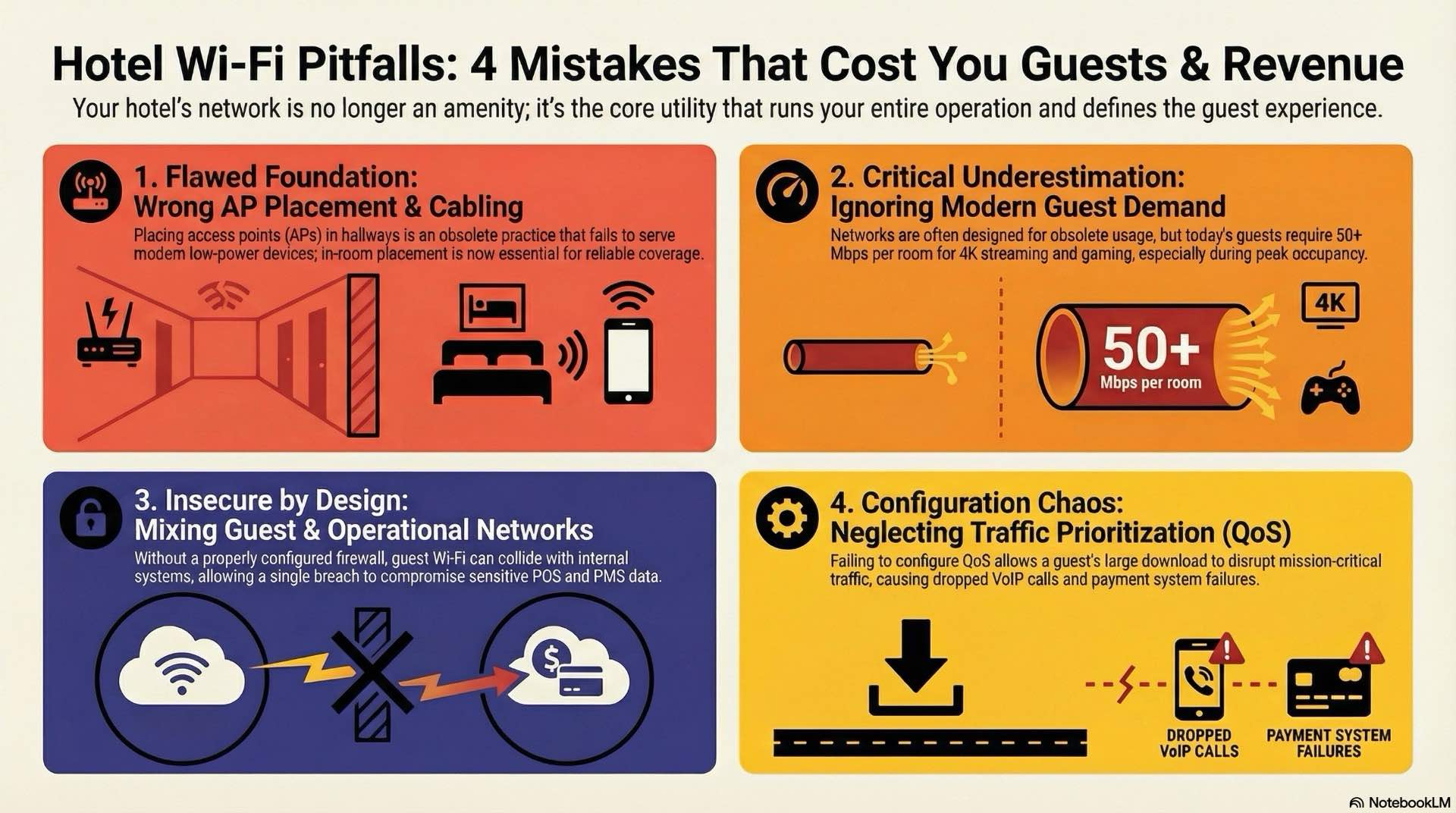
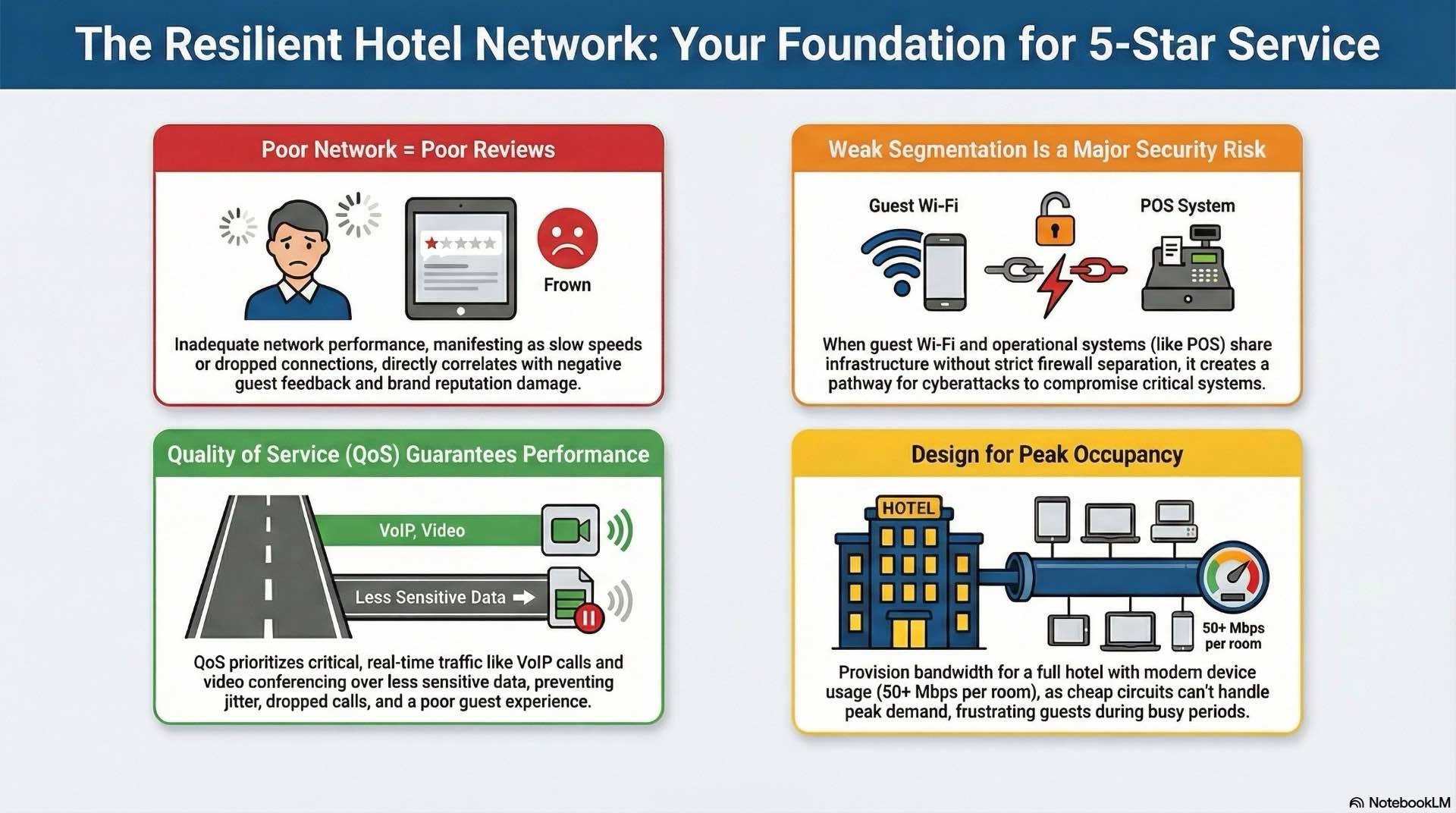
The biggest network design mistake is buying internet connections based on low-season occupancy. Your circuit might work at 40% occupancy, but at 100% capacity that hotel WiFi becomes a bottleneck. One guest streams 4K video needing 25 Mbps, another uploads files consuming 15 Mbps, and a third joins calls requiring 10 Mbps. Most hospitality networks operate with half the needed capacity. This makes WiFi troubleshooting difficult because insufficient bandwidth is the root problem.
Property managers see bandwidth as a cost to cut, but inadequate guest WiFi generates complaints. Short-term savings on hotel WiFi circuits become long-term revenue losses. Smart network design accounts for peak usage to prevent these problems.
Traditional network design assumed one laptop per room. Today each guest brings smartphones, tablets, laptops, and smartwatches. Your 100-room property might support 400-600 simultaneous connections. Each device generates constant background traffic. Smartphones sync email continuously and tablets auto-update apps overnight. These processes consume hotel WiFi bandwidth constantly. Smart thermostats and connected locks add traffic that complicates WiFi troubleshooting.
Cost-conscious renovations preserve old infrastructure rather than investing in modern cabling. Legacy cables might support basic speeds but fail over distances and can’t power modern WiFi 6 access points reliably. Properties install new equipment on outdated infrastructure. Older switches lack power budgets for modern access points. They don’t support features like VLAN assignment needed for proper network design. This makes effective WiFi troubleshooting impossible.
WiFi and RF Planning Pitfalls in Hotel Networks
Many properties deploy access points without validating signal propagation through buildings. A proper site surveymeasures signal and interference throughout your property. You’ll discover thick walls cause signal loss and elevator shafts create dead zones. Without this data, you’re guessing where to place equipment. Post-deployment validation confirms whether your network design delivers intended coverage.
The old practice of placing access points in hallways creates problems for smartphones with weak radios. Signals must penetrate multiple walls to reach devices, resulting in marginal guest WiFi connections. In-room placement solves this by putting access points where guests actually use devices. This improves hospitality networks performance and reduces WiFi troubleshooting calls.
Power configuration requires balancing coverage and interference. Many installers maximize transmit power, but in dense hospitality networks this creates excessive interference. Proper RF design uses controlled power levels. This counter-intuitive approach—using lower power for better results—requires expertise that impacts overall network design.
Urban hotels face external interference from neighboring properties broadcasting WiFi networks on the same channels. Low-E glass windows that save energy also reflect wireless signals. Metal studs create barriers. Interior design choices affect performance—decorative screens block signals, mirrors create multipath interference, and furniture absorbs signals.
Segmentation and Security Gaps in Hospitality Networks
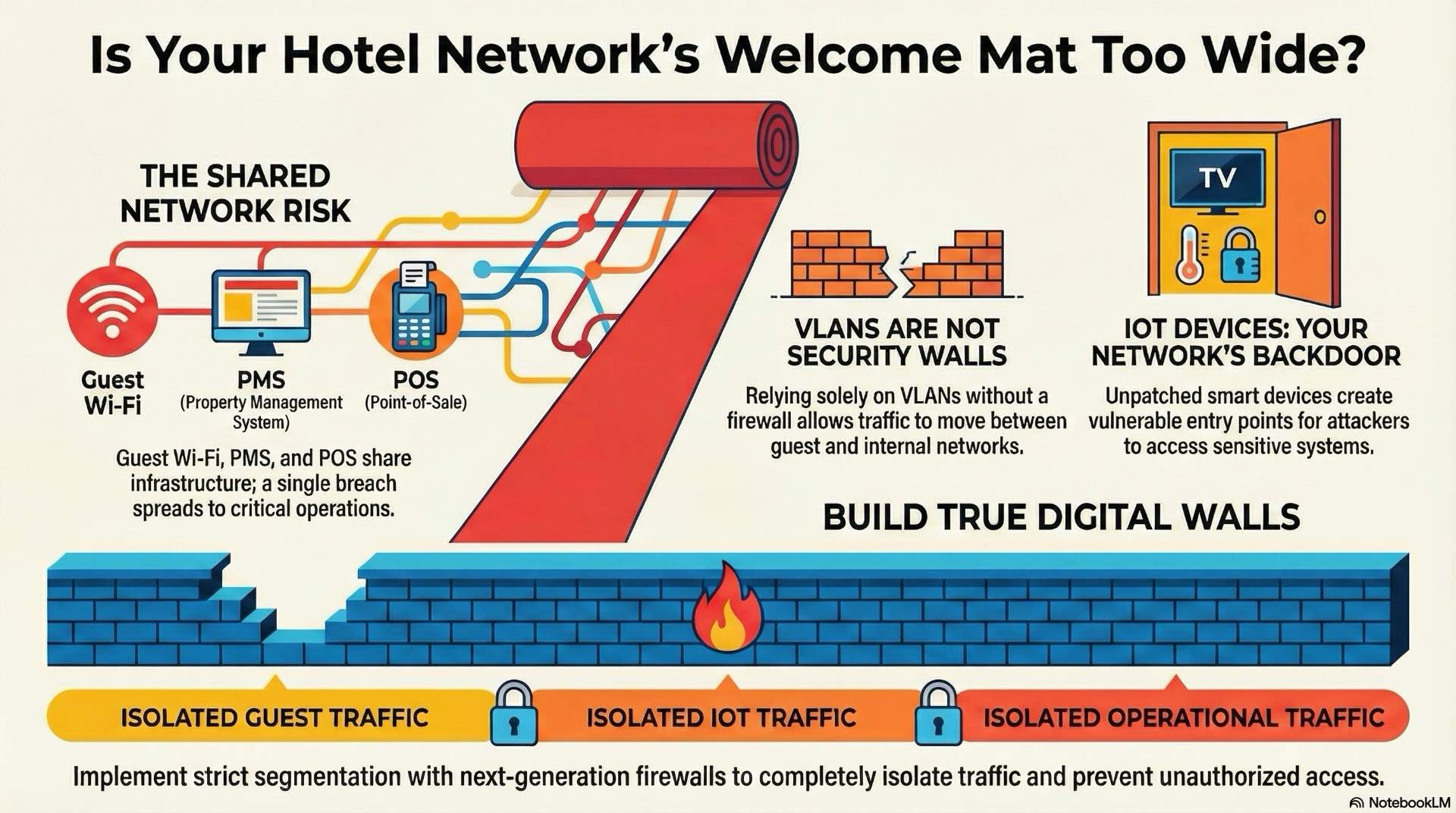
The most dangerous flaw in hospitality networks is inadequate separation between guest WiFi and operational systems. Many properties place guest wireless, staff devices, and payment terminals on the same network. This creates attack paths from untrusted devices to critical systems.
Effective network design requires multiple isolation layers. Guest WiFi traffic must terminate on dedicated segments with no connectivity to internal systems. Staff wireless needs separate networks. Payment systems require isolated segments. This isolation uses proper firewall configurations, making WiFi troubleshooting more complex but dramatically improving security.
Guest WiFi presents unique authentication challenges. You need to identify users without frustrating travelers. Many properties implement weak portals that collect emails without verification. Stronger options like SMS verification provide reasonable identity assurance. Social media login offers convenient authentication while collecting marketing data. Data privacy regulations add complexity that many hotel WiFi systems aren’t designed to address.
Security policies often treat wired and wireless networks differently. Properties implement strong authentication on guest WiFi while leaving ethernet ports open. Attackers simply connect devices to available jacks. Port security on wired networks should match wireless protections. This consistency must extend to all services—voice-over-IP phones, building automation, and security cameras.
Resilience, QoS, and Service Reliability in Hospitality Networks
Many hotel WiFi systems lack adequate redundancy, creating single points of failure. Single switch failures bring down all services. Single internet outages eliminate all connectivity. Building resilient network design requires identifying every potential failure point. Core switching should use redundant devices with automatic failover. Internet connectivity needs diverse circuits. This redundancy makes WiFi troubleshooting possible even during partial outages.
Quality of Service mechanisms prioritize time-sensitive traffic, but many hospitality networks run without configuration. This creates unpredictable performance where calls sound choppy and transactions time out. Bulk downloads from guest WiFi devices consume available capacity first. Effective implementation requires end-to-end classification. Voice traffic receives highest priority. Video conferencing needs dedicated bandwidth. Payment transactions require low-latency delivery. Guest WiFi receives remaining capacity.
Most hotel WiFi systems lack comprehensive monitoring. You need visibility into metrics that impact experience—latency variations, packet loss, and bandwidth utilization. Without this telemetry, WiFi troubleshooting becomes guesswork. Network Performance Monitoring collects continuous metrics from all devices. You’ll see real-time trends for bandwidth utilization. Interface counters reveal cable problems. Good monitoring speeds WiFi troubleshooting significantly.
Operating and Modernizing Hospitality Networks Over Time
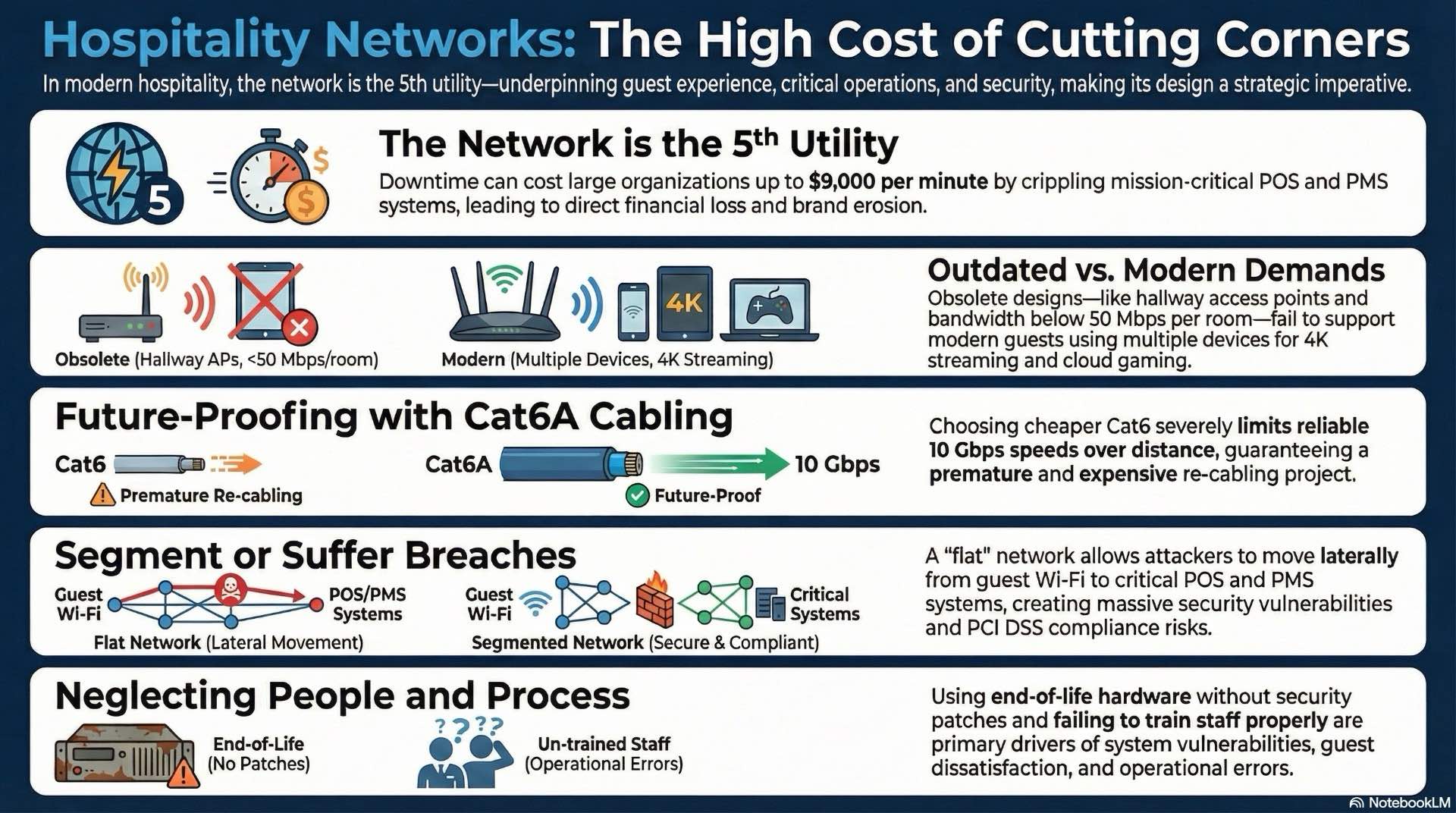
Proactive management depends on analyzing multiple data sources. Monitoring dashboards should consolidate infrastructure health and guest service reports. This gives teams quick interpretation for effective WiFi troubleshooting. Guest feedback provides signals that technical monitoring might miss. Spikes in low WiFi ratings indicate problems even if infrastructure appears healthy. Automated alerting transforms monitoring data into actionable intelligence.
Systematic WiFi troubleshooting methodologies reduce repair time by providing consistent approaches. Documented playbooks guide staff through diagnostics. These should address frequent issues—slow guest WiFi complaints, dropped calls, payment timeouts—with step-by-step instructions. Effective playbooks start with simple checks. For WiFi troubleshooting, verify the guest’s device connects to your hotel WiFi. Check signal strength. Confirm the access point shows normal performance. Verify switches show no errors.
Network design upgrades in operating hotels present unique challenges—you can’t take systems offline during peak periods. Successful modernization requires phasing that maintains service continuity. Modular approaches minimize risk. Start with back-office segments serving staff rather than guest WiFi. Replace switches floor-by-floor during low-occupancy periods. Parallel operation provides safety nets, making WiFi troubleshooting possible even during upgrades.
Conclusion: Building Better Networks for Better Guest Experiences
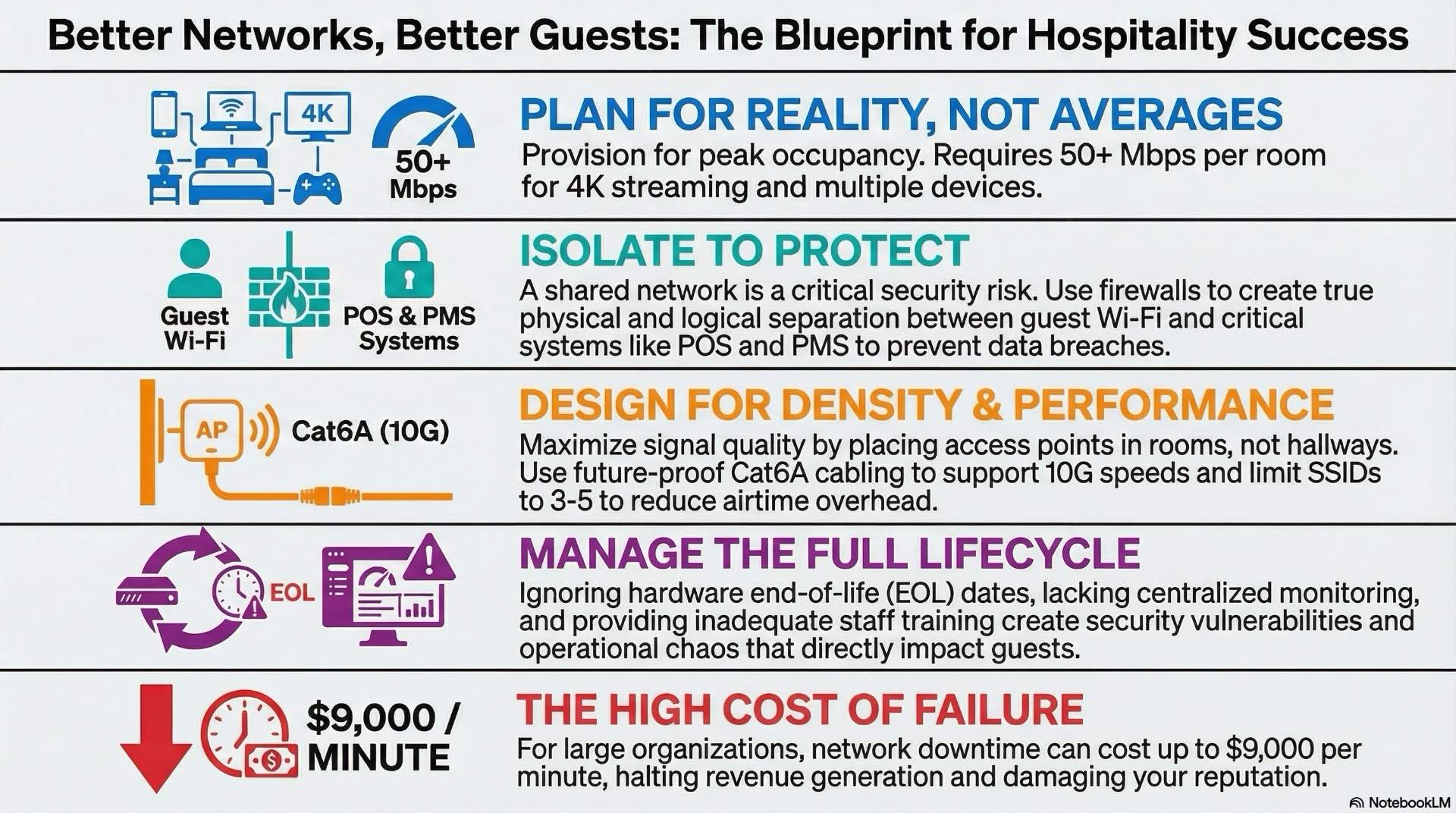
Successful hospitality networks require careful attention to capacity planning, equipment placement, security architecture, and operational excellence. The mistakes detailed here—insufficient bandwidth, poor access point placement, weak segmentation, missing redundancy, inadequate monitoring—aren’t inevitable. They result from treating network design as a cost to minimize rather than a strategic asset. Properties that invest in proper network design, deploy quality equipment, implement layered security, and maintain comprehensive monitoring create competitive advantages.
Guests notice when hospitality networks deliver flawless performance. They book return visits when hotel WiFimeets expectations without friction. They recommend properties where network design supports both leisure and business needs seamlessly. When problems occur, structured WiFi troubleshooting processes minimize guest impact and accelerate resolution. Strong guest WiFi isn’t just an amenity—it’s the foundation for operational efficiency, guest satisfaction, and long-term profitability in modern hospitality networks that depend on reliable hotel WiFi infrastructure and smart network design with effective WiFi troubleshooting capabilities for hotel WiFi systems.