

Optimize retail cloud platforms in your store with the right solution for POS, inventory and management to centralize operations and improve performance.
Modern retailers face mounting pressure to unify their cloud infrastructure across multiple store locations. They must do this while keeping stock levels accurate and checkout responsive. A well-configured retail solution eliminates data silos that slow down daily decisions. Proper POS integration with centralized inventory management shows exactly what’s on shelves and what’s in transit. It also highlights what needs reordering.
Most chains running legacy systems already know the symptoms. Staff check back rooms manually, stockouts appear only when customers complain, and end-of-day reports arrive hours too late. The right platform addresses these problems through real-time synchronization and automated workflows. This isn’t about replacing everything overnight. It’s about optimizing what you have and building toward a connected operation.
A well-designed platform combines architecture, security controls, and performance tuning so locations operate as a single connected system. The result is faster decisions at every level.
What a retail cloud platform does for your store
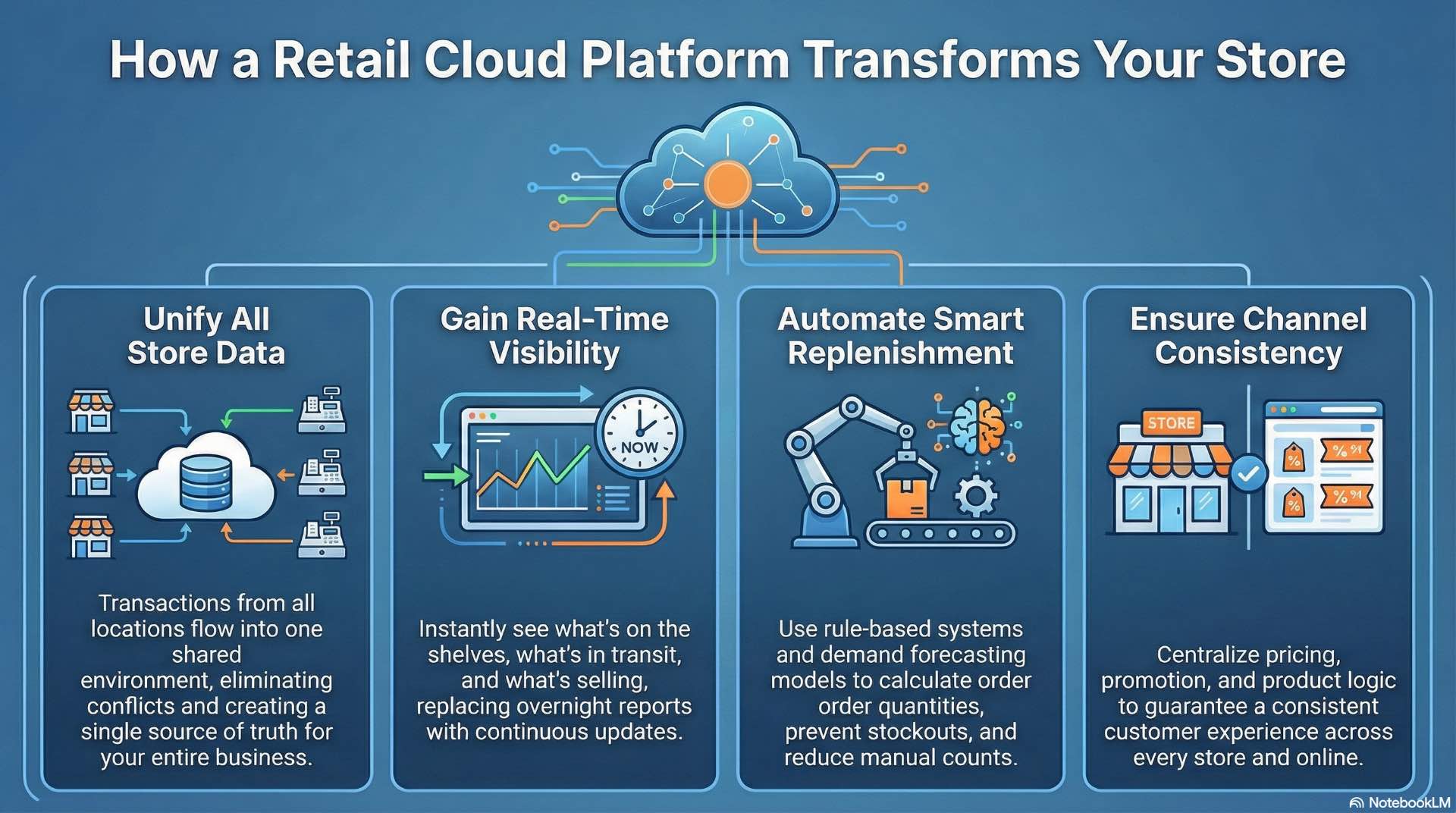
A retail cloud platform centralizes the data and services that previously lived on local servers. Instead of running separate databases at every site, transactions flow to a shared environment. Head office and managers access the same figures. This eliminates version conflicts where one location shows 200 units while the warehouse shows 150.
The platform handles three primary functions: transaction processing, inventory tracking, and business analytics. Transaction processing captures every sale the moment it happens. Inventory tracking updates stock counts automatically based on sales, returns, receipts, and transfers. Analytics aggregates data into operational dashboards showing sales velocity and demand patterns.
Real-time visibility changes how managers work. Instead of calling the warehouse to check availability, they query the system directly. Instead of running manual counts weekly, they rely on continuous updates with exception-based auditing. The platform becomes the single source of truth.
Common pain points with legacy POS and inventory
Legacy point-of-sale systems typically store data locally with batch uploads overnight. A sale at 2 PM doesn’t appear in head office reports until the next morning. By then, the opportunity to react has passed. Promotional items might sell out in one location while sitting untouched in another 30 kilometers away.
Inventory accuracy suffers most in disconnected environments. Staff enter receipts manually, sometimes days late. Shrinkage and miscounts accumulate without detection. The gap between what the system says and what’s actually on shelves grows wider over time.
Integration costs compound these issues. Legacy systems often use proprietary data formats that resist integration with modern analytics tools. Retailers end up paying for custom middleware and manual reconciliation.
Core components of a retail cloud solution
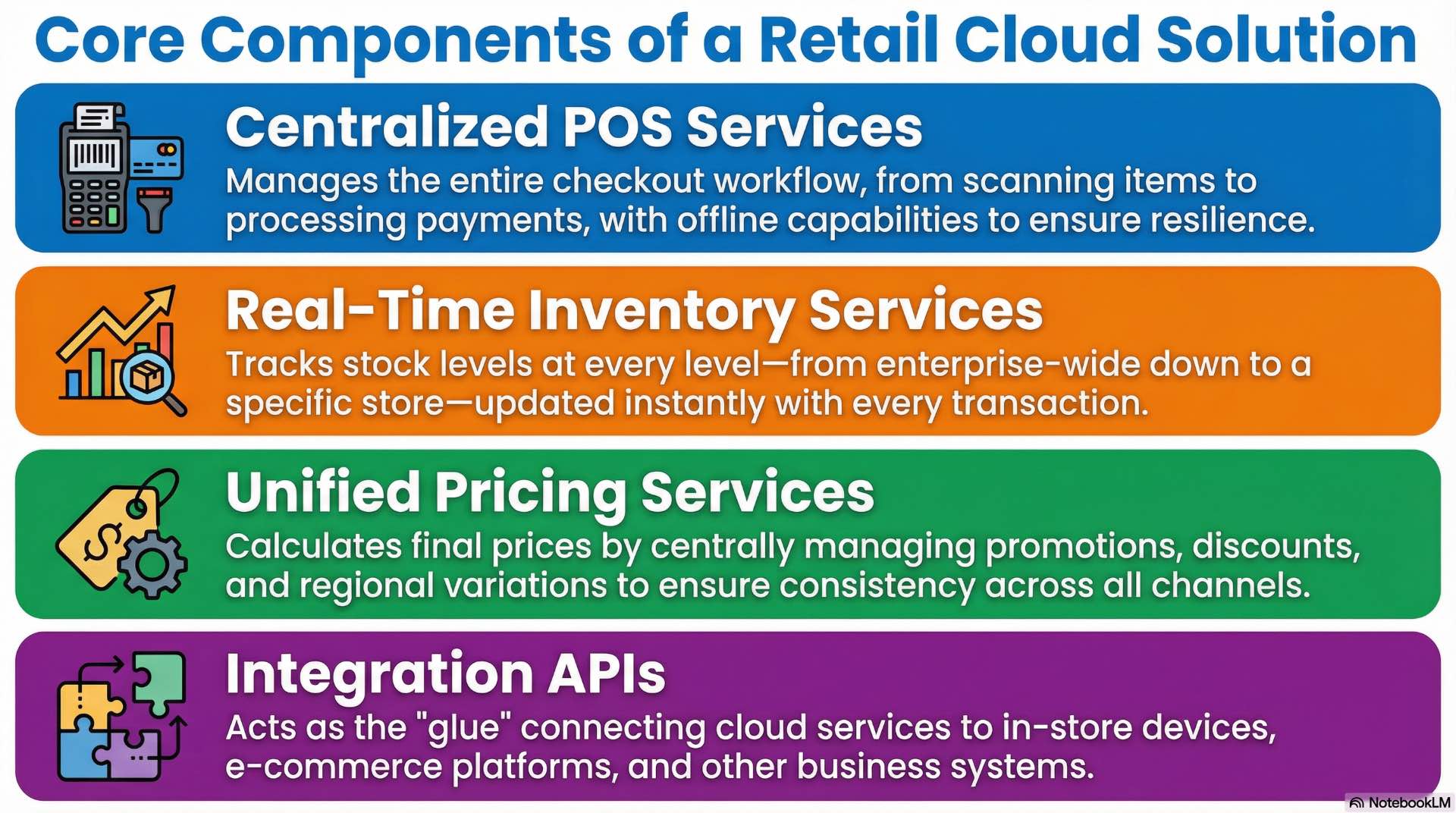
A complete retail solution stacks several service layers: data storage, application logic, integration APIs, and user interfaces. At the foundation sits a managed database service—typically relational for transactions and NoSQL for product catalogs. Above this, microservices handle specific business functions like pricing calculations, promotion rules, and tax computation.
APIs connect cloud services to devices and external systems. A checkout terminal calls the pricing API to fetch current prices and applicable discounts. The e-commerce platform queries stock availability before displaying products. ERP systems pull aggregated sales data for financial reporting.
User interfaces range from tablet-based checkout applications to browser dashboards for managers. Role-based access controls determine permissions for each user type. A cashier sees the POS screen; a regional manager sees performance comparisons.
POS, inventory and pricing services in the platform
The POS service manages the checkout workflow: scanning items, applying discounts, processing payments, and generating receipts. Modern implementations maintain local caching for offline resilience. If the network drops, the terminal continues processing and synchronizes once connectivity returns.
Inventory services track stock at multiple granularity levels: enterprise-wide, regional, location, and in-location zones. A product might have 500 units company-wide but only 12 at a specific site.
Pricing services calculate final prices considering base price, promotions, loyalty discounts, and regional variations. Centralizing pricing logic ensures channel consistency while allowing local flexibility where needed.
Designing POS and inventory data flows across stores
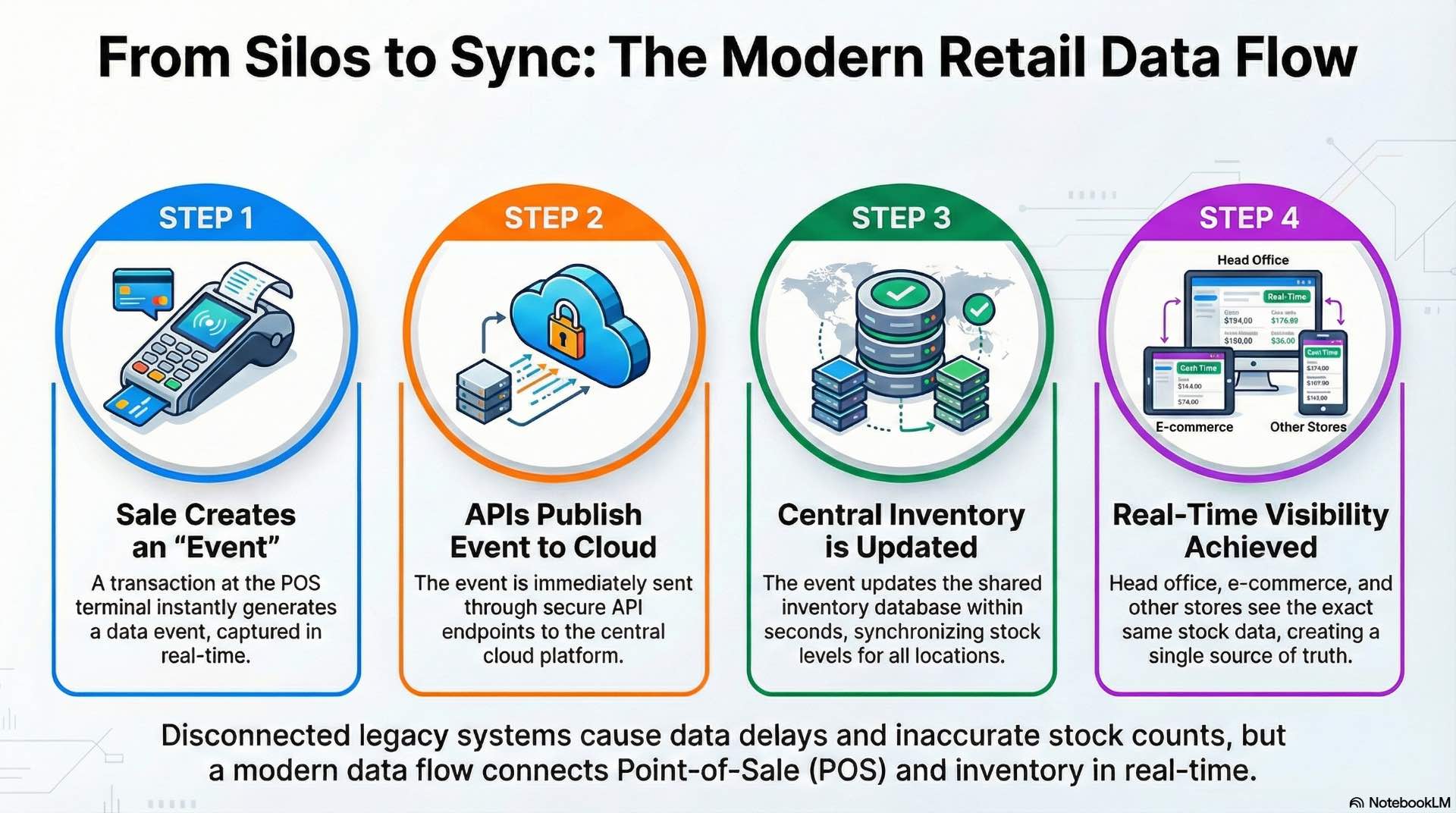
Data architecture determines how quickly information moves through the operation. Event-driven architectures publish transactions instantly as they happen. A sale in Location 47 generates an event that updates the central database within seconds. Downstream systems—analytics, replenishment, reporting—subscribe to these events.
Multi-region deployments require careful consideration of latency and data residency. A site in Sydney communicating with servers in Dublin adds 300+ milliseconds round-trip. Most retailers solve this with regional hubs that replicate to global storage.
API gateway patterns control how devices communicate with cloud services through secure endpoints. Rate limiting prevents system overload from runaway processes. Request routing directs traffic to the nearest healthy instance.
Setting up centralized inventory management in the cloud
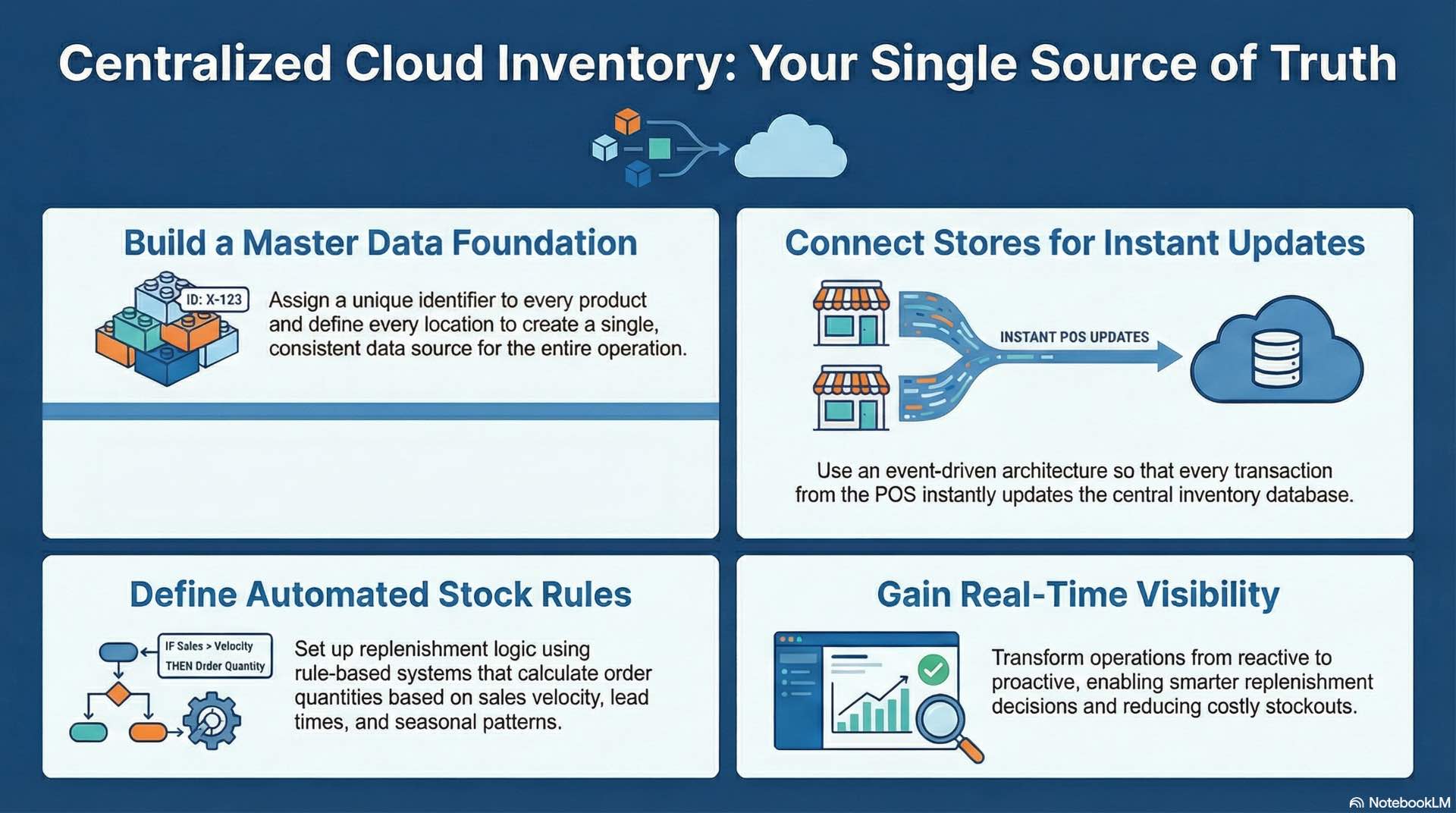
Centralized inventory management starts with a clean master data foundation. Every product needs a unique identifier that works across all systems. Every location—warehouse, distribution center, branch—needs defined relationships and attributes.
Stock levels require more nuance than a single number. Available-to-sell differs from physical count. Reserved quantities for pending orders reduce availability without moving physical stock. Safety stock thresholds trigger replenishment before running out.
Replenishment logic runs against these numbers to generate purchase orders and transfer requests. Rule-based systems calculate order quantities from sales velocity, lead times, and seasonal patterns. More advanced cloud platforms use demand forecasting models that factor in promotions, weather, and local events.
Defining products, locations and stock rules
Product master data includes more than description and price. It carries weight for shipping, dimensions for shelf planning, category hierarchies for reporting, and UPC codes for scanning. Maintaining centralized product data ensures consistency across every location.
Location hierarchies reflect physical and logical groupings. A chain might organize by region, district, branch, and in-branch zones. Inventory queries aggregate across location levels or drill down as needed.
Stock rules define behavior at each location type. Branches might use min/max thresholds with automatic reorder triggers. Warehouses might use economic order quantity calculations that balance holding costs against order frequency.
Tuning performance and cost of your retail cloud platform
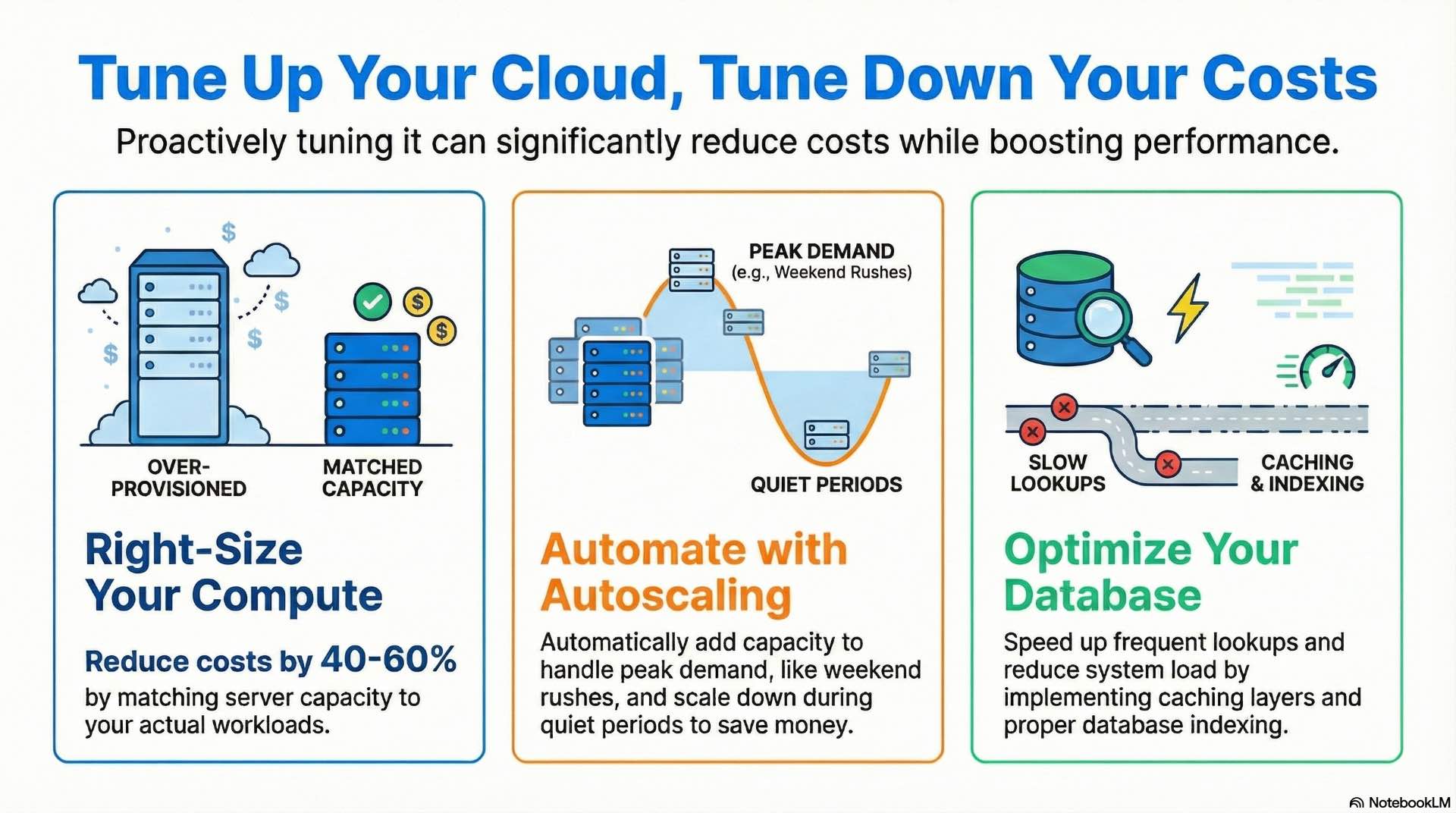
Resource sizing often starts oversized during initial deployment, then gets forgotten. A checkout API that handles 50 requests per minute doesn’t need instances sized for 500. Right-sizing compute resources reduces costs significantly—sometimes 40-60% for over-provisioned workloads.
Autoscaling handles demand variability without permanent capacity. A grocery chain sees traffic spike during weekday evenings and Saturday mornings. Autoscaling policies add capacity before peaks and scale down during overnight lulls.
Database optimization focuses on query patterns. Indexes speed up frequent lookups but slow down writes. Caching layers like Redis reduce database load for read-heavy operations. Connection pooling prevents exhaustion during traffic spikes.
Cost allocation across departments requires tagging discipline. Every resource gets tagged with business attributes: region, location number, application, environment.
Securing store data on a retail platform
Retail platforms handle sensitive data: customer payment information, personal details, and business-critical inventory data. Security controls span network and application layers. Network segmentation isolates traffic from administrative access. Application security includes input validation, authentication, and session management.
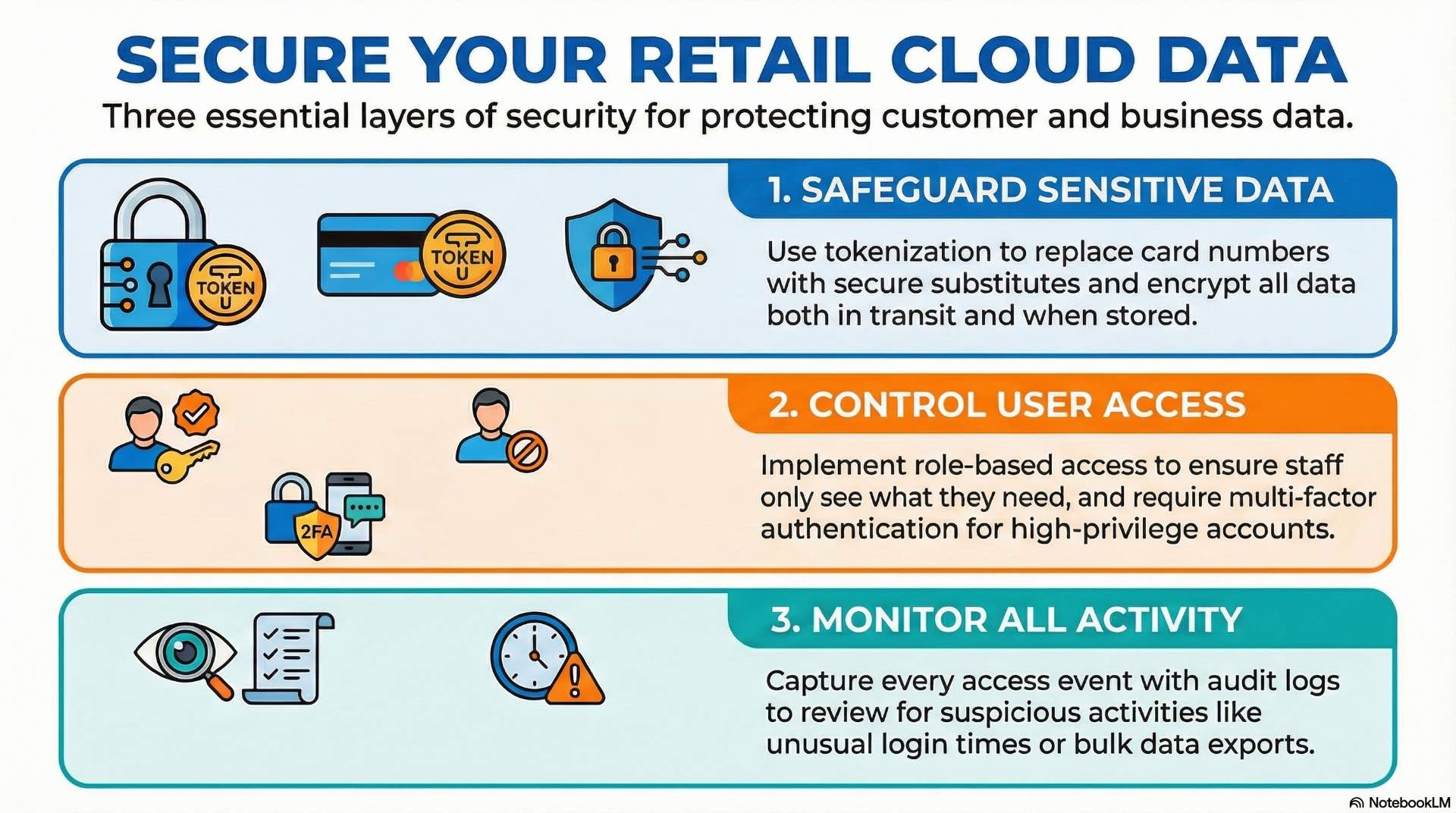
Payment card data requires PCI DSS compliance regardless of where systems run. Tokenization replaces card numbers with secure substitutes early in the transaction flow. Encryption protects data at rest and in transit—database encryption covers stored records while TLS 1.2 or higher secures API communication.
Access management for store staff and head office
Role-based access control maps job functions to system permissions. A cashier can process transactions but can’t access financial reports. A branch manager can view local sales and inventory data but not other locations. A regional manager sees aggregated data across their territory.
Authentication strength varies by risk level. Devices might use PIN codes for routine access and manager authorization for voids and returns. Administrative access requires multi-factor authentication and privileged access management tools.
Audit logging captures all access events including who accessed what and when. Security reviews examine these logs for anomalies: unusual access times, repeated failed logins, bulk data exports.
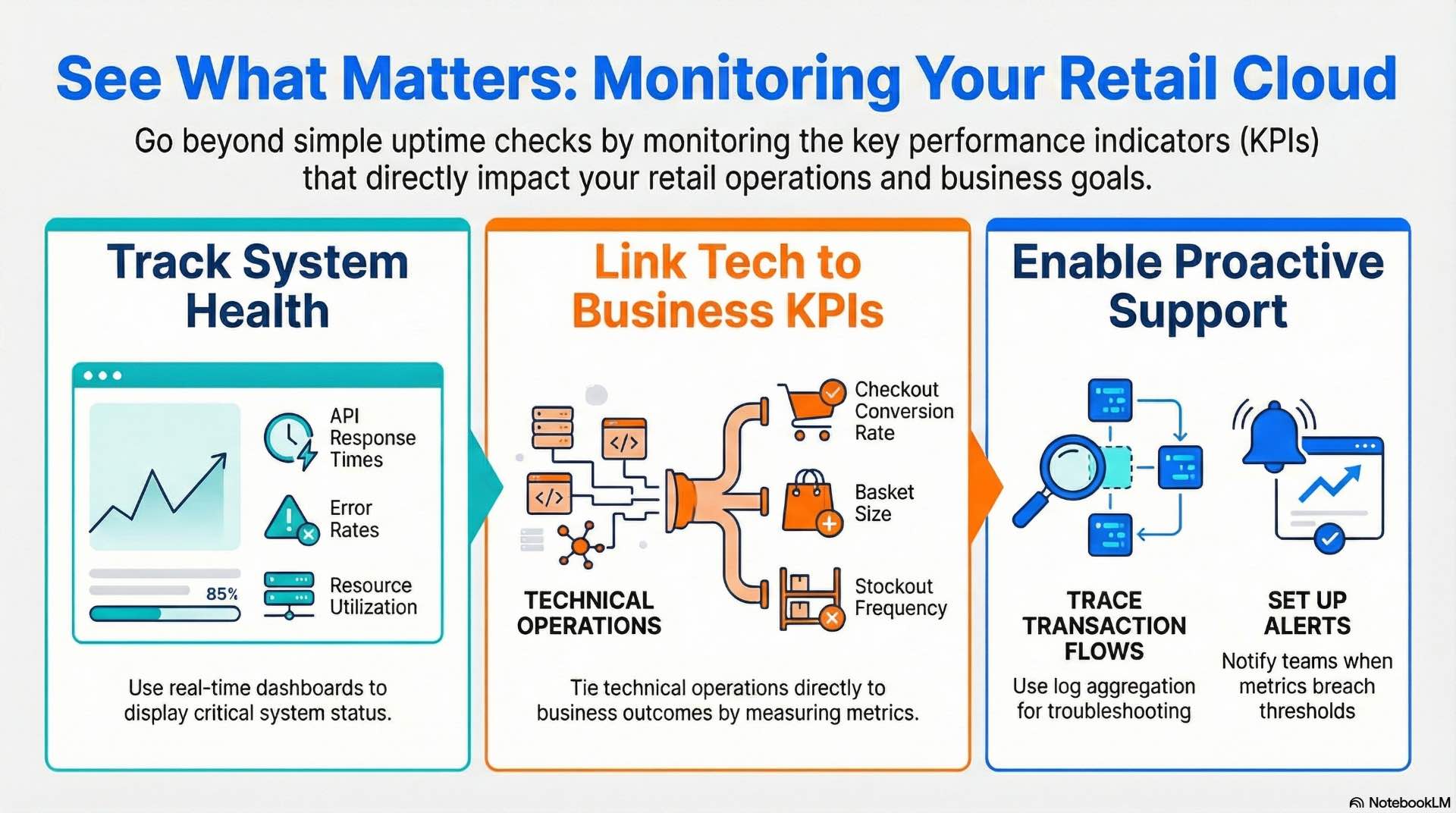
Monitoring operations and KPIs in retail cloud environments
Operational monitoring tracks system health: response times, error rates, queue depths, resource utilization. Dashboards display real-time system status while alerting rules notify teams when metrics breach thresholds. A sudden spike in checkout API latency might indicate a database problem.
Business KPIs tie technical operations to outcomes. Checkout conversion rate, basket size, inventory turns, stockout frequency—these metrics reveal whether the platform supports business goals.
Log aggregation collects events from all platform components into a searchable repository. When a location reports failures, support teams trace transaction flows through centralized logs. Synthetic monitoring probes the platform continuously with simulated transactions.
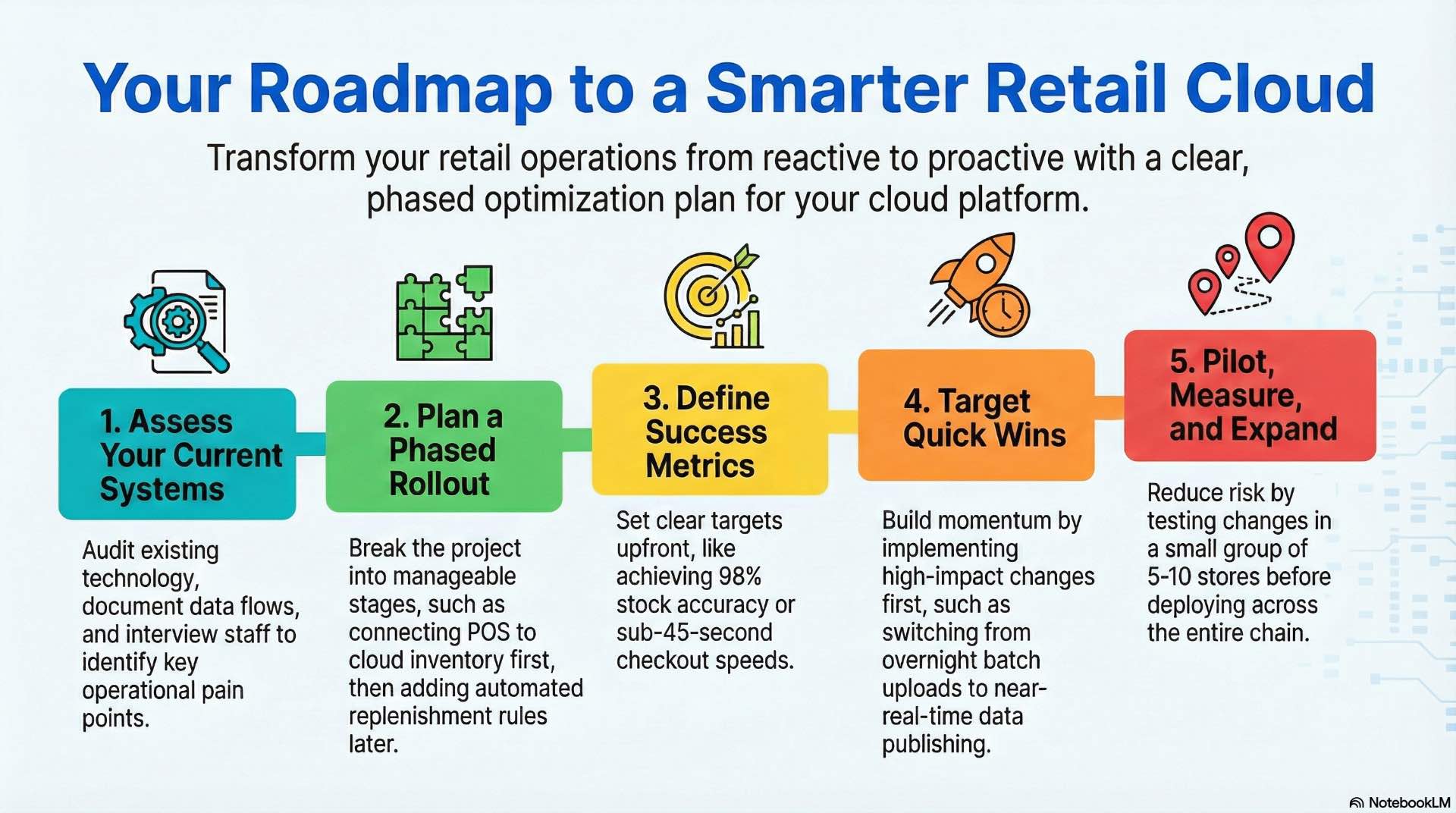
Roadmap to optimize your existing retail platform
Optimization projects succeed when scoped to specific measurable outcomes. Pick one problem—slow checkout times, inaccurate stock counts, high costs—and solve it completely before moving to the next.
Quick wins build momentum. If legacy batch uploads cause overnight data staleness, implementing near-real-time event publishing delivers immediate visibility improvement. If manual stock counts consume staff hours, deploying barcode scanning apps shows rapid payback.
Pilot programs reduce risk by limiting changes to 5-10 branches at a time. Measure results against a control group to verify improvements aren’t coincidental.
Assessing current systems and planning phased rollout
Assessment starts with an audit of current technology: what systems exist and how they connect. Then document what data they hold and which pain points they create. Interview managers, IT staff, and business analysts.
Gap analysis compares current capabilities against target state. Maybe real-time visibility exists but automated replenishment doesn’t. A complete solution addresses both POS connectivity and inventory management gaps.
Phased rollout schedules work in manageable chunks. Phase one might connect existing checkout systems to cloud-based inventory services for real-time updates. Second phase adds automated replenishment rules. Phase three introduces advanced analytics.
Success metrics defined upfront keep projects accountable. Stock accuracy might target 98% within six months. Checkout speed might target transaction completion under 45 seconds.
Building an optimized cloud platform transforms store operations from reactive to proactive. Real-time inventory visibility across every location enables smarter replenishment and reduces costly stockouts. The retail solution you implement today determines operational agility for years ahead. With proper POS integration and centralized management, your stores gain the data foundation for better decisions.