



Modern businesses need horizontal cabling and vertical cabling where backbone cabling and structured cabling meet in network infrastructure systems.
Modern businesses rely on robust network infrastructure to support daily operations. Two critical components form the foundation of structured cabling systems: horizontal cabling and vertical cabling. Understanding these systems helps you design networks that deliver reliable performance while supporting future growth. Backbone cabling serves as the network’s spine, while structured cabling provides the organized framework. Your network infrastructure depends on proper implementation of both systems, with the telecommunications room acting as the central hub.
Understanding Structured Cabling Systems
Structured cabling creates an organized approach to network design. Rather than running individual cables between devices, this methodology follows standardized subsystems. You’ll find six main components: entrance facilities, equipment rooms, backbone cabling, horizontal cabling, telecommunications rooms, and work areas. This systematic structured cabling design reduces network downtime by up to 50% compared to point-to-point installations.
The beauty of structured cabling systems lies in flexibility. When you add new devices or upgrade equipment, changes happen quickly. Proper documentation and labeling make troubleshooting straightforward. Your IT team spends less time tracking down connection issues and more time on strategic initiatives within your network infrastructure.
What Is Horizontal Cabling
Horizontal cabling extends from telecommunications rooms to individual workstations. Think of it as the last mile of your network infrastructure. These cables run horizontally across single floors, connecting users to the broader network. Most horizontal cabling installations follow a star topology, where all connections radiate from a central point.
You’ll interact with horizontal cabling daily. Every time you plug a computer into a wall outlet, you’re using this system. The cabling typically remains hidden in ceilings, floors, or wall spaces. This keeps work areas clean while maintaining easy access for maintenance.
Key Components of Horizontal Cabling
Several elements work together in horizontal cabling systems. Telecommunications outlets provide the connection points at work areas. Patch panels organize cable terminations in telecom rooms. The horizontal cable itself carries data signals, while patch cords connect equipment within your network infrastructure.
Consolidation points offer optional flexibility. These junction boxes allow you to split one cable run into multiple connections. Equipment cords link user devices to wall outlets. Together, these components create a modular system that adapts to changing needs.
Distance Limitations and Standards
The 90-meter rule governs horizontal cabling. Your cable run from telecom room to work area outlet cannot exceed this distance. Add another 10 meters for patch cords and equipment cables. Beyond 100 meters total, signal degradation becomes problematic.
TIA/EIA-568 standards define these structured cabling requirements. Following these guidelines ensures reliable performance. You’ll maintain consistent data transmission speeds across all connections. Shorter runs often perform better, so plan telecommunications room locations strategically.
Cable Types Used in Horizontal Systems
Cat5e remains common for basic networks. This cable supports speeds up to 1 Gbps over 100 meters. Cat6 offers better performance with 10 Gbps capability over shorter distances. For demanding applications, Cat6A delivers 10 Gbps across the full 100-meter channel.
Fiber optic cables appear in specialized horizontal cabling installations. You’ll find them in environments with electromagnetic interference or where extreme distances matter. Shielded twisted pair cables protect against noise in industrial settings. Choose based on current needs while considering future bandwidth demands.
What Is Vertical Cabling (Backbone Cabling)
Vertical cabling forms your network’s core infrastructure. Also called backbone cabling, these connections link telecommunications rooms, equipment rooms, and entrance facilities. The backbone cabling system carries aggregated traffic from multiple horizontal runs. Think of it as the highway system connecting different neighborhoods within your network infrastructure.
Backbone cabling typically runs vertically between floors. However, these cables can run horizontally on the same floor and still qualify as backbone cabling. The function determines the classification, not the physical orientation. These high-capacity links handle substantially more data than individual horizontal connections.
Core Functions of Backbone Systems
Backbone cabling systems serve three primary roles. First, they connect telecommunications rooms on different floors. Second, they link the main equipment room to distributed telecom closets. Third, they tie separate buildings together on a campus through backbone cabling.
Your backbone cabling carries consolidated traffic from hundreds of workstations. A single backbone cable might support an entire floor’s worth of users. This concentration demands higher performance specifications and more robust backbone cabling solutions.
Inter-Building vs Intra-Building Cabling
Intra-building backbone cabling stays within one structure. These cables connect floors in multi-story buildings. Vertical shafts or riser spaces provide the pathways. Fire safety codes heavily regulate these installations due to the vertical penetrations.
Inter-building backbone cabling spans multiple structures. You’ll run these cables underground, overhead, or through tunnels. Campus environments use inter-building systems extensively. Protection from environmental factors becomes critical for outdoor backbone cabling installations.
Vertical Cabling Infrastructure Requirements
Backbone cabling must support its own weight across vertical spans. Special cable designs include strength members to prevent stretching. Proper anchoring every few floors prevents excessive stress. You’ll need plenum-rated cables for air-handling spaces to meet fire codes.
The backbone cabling should stack telecommunications rooms vertically when possible. Direct vertical alignment simplifies installation and reduces cable lengths. This approach also makes future expansion more straightforward. Leave extra capacity in cable pathways for growth.
Key Differences Between Horizontal and Vertical Cabling
The purpose drives every distinction between these systems. While horizontal cabling connects endpoints, vertical cabling links distribution points. Understanding these differences helps you make smart design decisions for your network infrastructure.
Coverage Area and Scope
Horizontal cabling serves individual work areas on single floors. Each cable connects one outlet to the telecommunications room. You’ll have hundreds of horizontal runs in a typical building. The system spreads across the floor plate like branches on a tree.
Vertical cabling connects major infrastructure points. One backbone cabling serves an entire telecommunications room. You’ll have far fewer vertical runs, but each carries much more traffic. The system forms the trunk that supports all those horizontal branches.
Performance and Bandwidth Requirements
Horizontal links handle individual user traffic. A single workstation might need 1-10 Gbps bandwidth. Multiply that across all users on a floor, and the backbone cabling must carry the aggregate. This concentration demands higher-performance cabling.
Fiber optic cables dominate backbone cabling applications due to bandwidth needs. A single fiber pair can deliver 100 Gbps or more. Horizontal cabling systems often use copper for cost efficiency. The performance demands justify premium cabling in vertical applications.
Installation Methods and Topology
Star topology defines horizontal cabling systems. Every workstation connects directly to the central telecom room. This creates redundancy and simplifies troubleshooting. If one cable fails, only that workstation loses connectivity.
Backbone cabling topology varies by design. Point-to-point links connect specific rooms. Redundant paths provide failover capability. Ring topologies offer protection but cost more. Your backbone cabling design balances reliability against budget.
Structural and Safety Requirements
Horizontal cabling faces minimal mechanical stress. They rest in cable trays or hang from J-hooks. Standard building codes apply. Installation remains relatively straightforward on single floors.
Backbone cabling endures significant mechanical loads. Vertical spans create tension that regular cables cannot withstand. Fire-rated cables prevent flame spread between floors. Underground installations need moisture protection. These requirements increase backbone cabling complexity and cost.
Cable Types and Performance Specifications
Choosing the right cable type determines your network infrastructure capabilities. Performance, cost, and future needs all factor into the decision.
Horizontal Cabling Cable Options
Cat5e provides the baseline for modern networks. At roughly $0.10 per foot, it’s economical. You’ll get reliable gigabit performance for most office applications. However, it lacks headroom for significant speed increases.
Cat6 costs slightly more at $0.15 per foot. The performance boost justifies the expense in new installations. Ten gigabit capability over 55 meters future-proofs your investment. Better noise immunity improves reliability in dense cable bundles.
Cat6A represents the premium option at $0.25 per foot. Full 10 Gbps performance across 100 meters supports demanding applications. Shielded versions eliminate crosstalk concerns. This cable handles whatever you’ll need for the next decade.
Vertical Cabling Cable Options
Multimode fiber dominates vertical installations. OM3 and OM4 grades support 10-40 Gbps over building-scale distances. LC connectors provide high density in patch panels. Cost runs $1-2 per foot including termination.
Singlemode fiber serves campus backbones. You’ll get virtually unlimited bandwidth over kilometers. The cable costs less than multimode, but termination requires more precision. Use singlemode when distances exceed 300 meters or speeds top 40 Gbps.
Multi-pair copper remains common for voice applications. 25-pair or 50-pair cables consolidate many phone lines. However, VoIP technology reduces demand for copper backbones. Fiber increasingly replaces copper even for voice traffic.
Fiber Optic vs Copper Considerations
Fiber offers superior bandwidth and distance capabilities. Electromagnetic interference doesn’t affect fiber transmission. The cables weigh less and occupy less space. However, termination requires specialized skills and costs more.
Copper works well for shorter runs with moderate bandwidth needs. Existing IT staff can typically handle copper installations. Power over Ethernet simplifies device power distribution. The lower initial cost appeals to budget-conscious projects.
Telecommunications Room Role in Cabling Systems

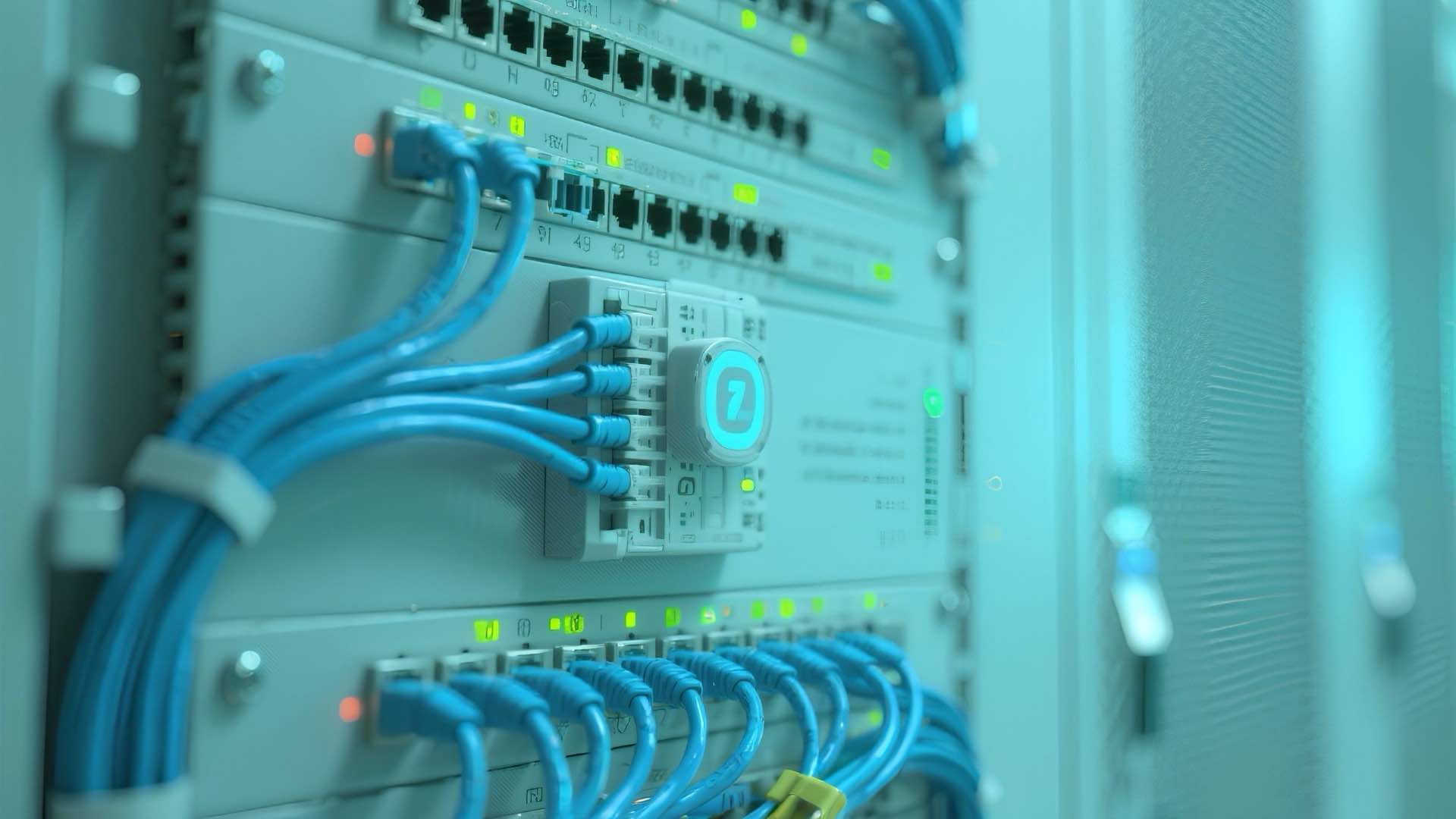
The telecommunications room serves as your network’s nerve center. Horizontal cabling and vertical cabling converge here. Equipment like switches, routers, and patch panels reside in this space. Proper telecommunications room design ensures efficient operations.
Size matters for telecom rooms. Allow one square foot per 100 square feet of served area as a baseline. Multi-floor buildings need rooms on each level. Stack them vertically when possible to minimize backbone cabling lengths.
Environmental controls protect equipment. Maintain temperatures between 64-75°F year-round. Humidity should stay between 30-55%. Independent cooling systems prevent outages from building HVAC failures. Adequate power with backup generators keeps systems running.
Cost Optimization Strategies
Smart planning controls cabling costs without sacrificing performance. Balance immediate needs against long-term requirements for your network infrastructure.
Horizontal Cabling Cost Factors
Labor dominates horizontal cabling installation expenses. Cable costs vary from $0.10 to $0.25 per foot. Add $50-150 per drop for termination labor. Dense cable installations reduce per-drop costs through efficiency.
Pathway infrastructure represents a hidden cost. Cable trays, J-hooks, and conduits add up quickly. Plan adequate pathways during construction to avoid expensive retrofits. Reusing existing pathways in renovations cuts costs dramatically.
Testing and certification ensure quality but add expense. Budget $25-50 per cable for professional testing. This investment pays dividends by catching problems before users connect. Documentation time adds another $10-20 per drop.
Vertical Cabling Investment Considerations
Backbone cabling costs more per foot but serves many users. Fiber installation runs $1,000-3,000 per strand including termination. However, one fiber strand might support an entire floor’s traffic. The per-user cost becomes quite reasonable.
Redundancy in backbones justifies extra expense. Dual paths prevent single points of failure. The incremental cost of running extra fibers during initial installation is minimal. Adding capacity later costs five times more.
Proper planning extends backbone cabling lifespan. Install higher-grade fiber than currently needed. The cable cost difference is small, but the performance ceiling is much higher. This approach delays expensive upgrades by years.
Installation Best Practices
Quality installation determines network reliability. Follow proven structured cabling practices to ensure long-term success.
Planning Network Infrastructure
Start with detailed site surveys. Map out existing cable paths and telecommunications rooms. Identify obstacles like steel beams or elevator shafts. This groundwork prevents surprises during structured cabling installation.
Calculate bandwidth requirements conservatively. Factor in 30-50% growth over five years. Higher-grade cabling costs little more during initial installation. Upgrading later means expensive disruption to your network infrastructure.
Coordinate with other trades early. Electrical contractors, HVAC installers, and data cabling teams compete for pathway space. Resolve conflicts on paper rather than in the field. This saves time and reduces costly rework.
Compliance with Fire Safety Codes
Plenum-rated cables meet strict fire safety standards. Use them in air-handling spaces above ceilings. Riser-rated cables satisfy vertical penetration requirements. Check local codes as requirements vary by jurisdiction for structured cabling.
Firestopping materials seal cable penetrations between floors. This prevents fire and smoke spread through cable pathways. Inspect firestops regularly as they can degrade over time. Proper documentation proves code compliance during inspections.
Future-Proofing Your Cabling System
Install extra cables during initial construction. The incremental cost is minimal while walls are open. Future cable pulls through finished spaces cost substantially more. A 25% capacity buffer handles most growth scenarios for network infrastructure.
Label everything meticulously. Use consistent naming conventions across the entire structured cabling system. Document cable routes, lengths, and test results. This information becomes invaluable during troubleshooting and expansions.
Choose modular equipment and standardized connections. Technology changes rapidly, but physical infrastructure lasts decades. Flexibility in the design accommodates unknown future requirements without complete replacement.
Common Applications and Use Cases
Different environments demand specific cabling approaches. Understanding typical scenarios guides your network infrastructure planning.
Office buildings rely heavily on horizontal cabling systems. Each desk needs network connectivity. High-density areas like call centers may require multiple drops per station. Wireless access points scattered throughout floors need wired backhaul through structured cabling.
Data centers showcase backbone cabling at its finest. Row after row of servers connect to core switches through high-capacity fiber. Structured cabling within the facility keeps the complex environment manageable. Hot aisle/cold aisle designs influence cable routing.
Educational campuses combine both systems extensively. Each classroom needs numerous horizontal cabling connections. Buildings spread across campus require robust inter-building backbone cabling. Wireless networks for mobile devices still depend on wired infrastructure.
Manufacturing facilities present unique challenges. Harsh environments demand ruggedized cabling. Electromagnetic interference from machinery necessitates fiber optics or shielded copper. Flexibility supports frequent floor layout changes in structured cabling systems.
Healthcare settings demand reliability above all else. Patient monitoring systems cannot fail. Separate networks for medical devices, business systems, and guest access create complex requirements. Backbone cabling ties these disparate systems together while maintaining required isolation. Horizontal cabling runs connect critical care equipment throughout patient areas, while structured cabling ensures the entire network infrastructure remains organized. Properly designed telecommunications room spaces on each floor provide quick access for maintenance without disrupting patient care, incorporating both horizontal cabling and vertical cabling best practices.